Car Background Replacement: How to Swap Cluttered Lots for Professional Scenes
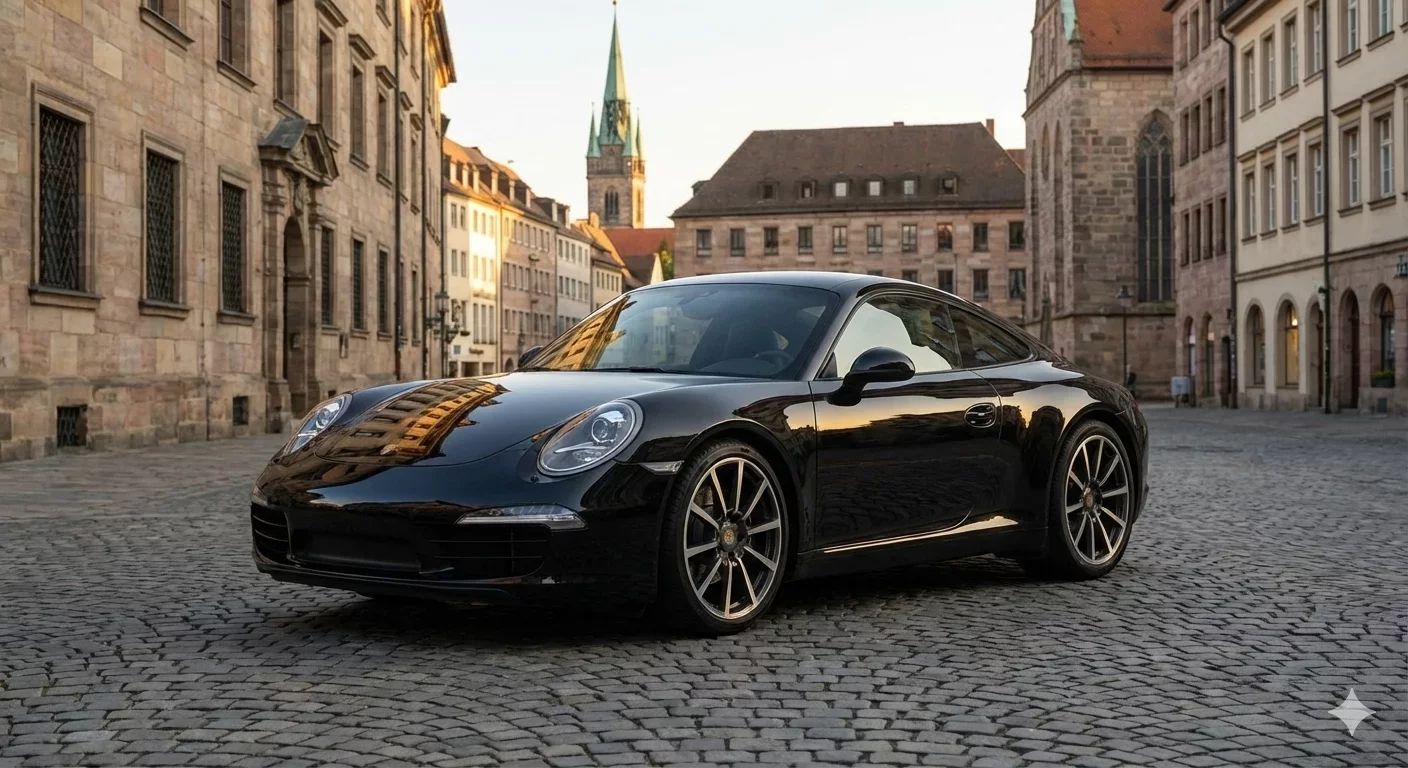
Car background replacement is the difference between a listing that looks like it was shot in a parking lot and one that looks like it belongs in a professional catalog. The technique goes beyond simply removing distractions. It involves selecting the right replacement scene, matching lighting conditions, and ensuring the final image builds buyer confidence rather than raising questions.
For dealers processing dozens or hundreds of vehicles monthly, car background replacement needs to be fast, consistent, and repeatable. This guide covers the practical decisions involved: which backgrounds work for different vehicle types, how to avoid the artificial look that triggers buyer skepticism, and how to build a replacement workflow that scales with your inventory.
The Real Problem Car Background Replacement Solves
Walk any used-car lot on a busy afternoon and you will see the photography challenge firsthand. A salesperson snaps photos of a newly arrived trade-in while customers browse nearby. The vehicle sits between two others, with a dumpster visible in one frame and a light pole growing out of the roof in another. The sky is overcast, flattening the paint color. Three hours later, someone else photographs another arrival in direct sunlight, creating harsh shadows and blown-out highlights.
Both vehicles might be excellent cars. But when their photos appear side by side in your inventory grid, the visual inconsistency tells a different story. One looks washed out, the other looks harsh. Neither looks intentional. Buyers scrolling through your listings sense this disorder even if they cannot name it. The subconscious read is simple: if the photos are this inconsistent, what else is inconsistent?
Car background replacement addresses this by imposing visual order after capture. You cannot control the weather, the time of day, or what happens to be parked next to each vehicle. But you can control what appears in the final image. Replacing chaotic lot backgrounds with clean, consistent scenes gives every vehicle the same professional presentation, regardless of the conditions under which it was photographed.
Choosing the Right Replacement Background
Not all backgrounds communicate the same message. The scene you place behind your vehicles affects how buyers perceive both the car and your dealership. Understanding these associations helps you choose backgrounds that align with your brand positioning.
Showroom and Studio Backgrounds
A clean showroom or studio environment signals professionalism and premium positioning. These backgrounds typically feature neutral floors, controlled lighting, and minimal visual distraction. They work particularly well for luxury vehicles, certified pre-owned inventory, and any car you want to present as a flagship offering.
The risk with showroom backgrounds is appearing disconnected from reality. If your dealership is a modest independent lot, placing every vehicle in what looks like a luxury showroom might create a mismatch between photo and experience. Buyers who visit expecting marble floors may feel deceived when they find gravel.
Outdoor and Environmental Scenes
Outdoor backgrounds featuring open skies, subtle landscapes, or urban environments feel more natural and accessible. They suggest transparency: this is a real car in a real setting. For many used-car dealers, outdoor replacement backgrounds strike the right balance between professional presentation and authentic feel.
When selecting outdoor scenes, pay attention to lighting direction. If your source photo was captured with the sun behind the camera, placing the car against a sunset scene creates an obvious mismatch. The car's shadows will point one direction while the background suggests light from another. This inconsistency registers as fake even to buyers who cannot articulate why.
Solid Color and Gradient Backgrounds
Solid colors or subtle gradients eliminate environmental context entirely, putting complete focus on the vehicle. White backgrounds are common in commercial automotive photography because they reproduce well across different screens and print materials. Gray and neutral tones offer similar versatility with slightly less clinical feel.
Solid backgrounds work well when you need maximum flexibility. The same image can appear on your website, marketplace listings, social media, and print advertising without any scene looking inappropriate. The trade-off is personality: solid backgrounds say nothing about your dealership beyond basic competence.
Branded and Custom Backgrounds
Some dealers invest in custom backgrounds featuring their logo, colors, or dealership imagery. This approach builds brand recognition across every listing and differentiates your inventory from competitors using generic templates. When a buyer sees your distinctive background, they know immediately which dealer they are viewing.
Custom backgrounds require more upfront design work and may need periodic updates as your branding evolves. They also demand consistency: using your branded background on some cars but not others undermines the recognition benefit you are trying to build.
Technical Considerations for Believable Replacement
The goal of car background replacement is seamless integration. The viewer should see a car in a scene, not a car pasted onto a scene. Several technical factors determine whether your replacements look professional or obviously manipulated.
Edge Quality and Masking Precision
The boundary where the vehicle meets the new background is where replacement quality shows most clearly. Rough edges, visible halos, or missing details around mirrors and antennas immediately signal artificial editing. Quality replacement tools use sophisticated masking to capture these complex shapes accurately.
Check edges at full zoom before publishing. Areas that look acceptable at thumbnail size may reveal problems when buyers click for a larger view. Pay particular attention to:
Side mirror outlines and mounting points
Wheel spokes and the gaps between them
Antenna tips and roof rail details
Window edges where glass meets body
Any chrome or reflective trim
Shadow and Ground Contact
A car sitting on a surface casts a shadow. When you replace the background, you also remove the original shadow and must add a new one that matches the replacement scene. Without proper shadow treatment, vehicles appear to float above the ground, an effect that reads as obviously fake.
Effective car background replacement tools generate shadows automatically based on the replacement background's implied lighting. Verify that shadows appear in the correct position and have appropriate softness. A harsh shadow on a cloudy-day background or a soft shadow under bright studio lights both break believability.
Color Temperature and Lighting Match
Every light source has a color temperature. Sunlight at noon is cool and blue-white. Late afternoon sun is warm and golden. Indoor lighting varies depending on the bulb type. When the lighting on your vehicle does not match the lighting implied by the replacement background, the composite looks wrong.
If your source photo was captured under overcast skies with cool, diffused light, replacing the background with a sunset scene featuring warm orange tones creates an obvious disconnect. The car's paint will appear too cool against the warm environment. Either adjust the vehicle's color temperature to match or select a background with compatible lighting.
Reflection Management
Highly reflective surfaces like windows and polished paint can retain traces of the original environment even after background replacement. A showroom background loses credibility when the car's windows still reflect a parking lot. Quality replacement involves either minimizing these reflections or replacing them with reflections consistent with the new scene.
This is one area where automotive-specific tools outperform generic photo editors. Tools trained on vehicle imagery understand where reflections typically appear and how to handle them during replacement.
Building a Consistent Replacement Workflow
Individual photo editing is one thing. Maintaining consistency across your entire inventory requires a systematic approach. The following workflow ensures every vehicle receives the same professional treatment.
Establish Your Standard Template
Before processing your first photo, decide on your standard replacement background. This decision should consider your brand positioning, your typical vehicle mix, and where your photos will appear. Once selected, document this choice so everyone on your team applies the same treatment.
You may need different templates for different contexts. Perhaps marketplace listings use a clean outdoor scene while your website features a branded showroom background. Define each use case clearly and create labeled presets to prevent confusion.
Capture With Replacement in Mind
While car background replacement can fix environmental distractions, it works best when source photos meet basic quality standards. Train your photography team to:
Maintain consistent distance and framing across vehicles
Avoid extreme backlight that blows out windows
Keep the vehicle centered with clear space around all edges
Capture when lighting conditions are relatively stable
These practices make replacement cleaner and faster. Poorly framed source photos require more manual adjustment, slowing your workflow and increasing error risk.
Process Complete Vehicle Sets
Rather than editing individual photos, process all images for one vehicle as a batch. Apply your replacement template to the entire set simultaneously. This ensures the hero shot, side profiles, rear view, and detail shots all share identical treatment.
Batch processing also reveals inconsistencies in your source photos. If one angle looks significantly different from the others after replacement, you can identify and address the capture issue before it becomes a pattern.
Quality Check Before Export
Every replaced photo should pass a quick visual inspection before entering your inventory. Check edges, shadows, and overall believability. Establish a simple QA gate: does this photo look like it belongs in the set? Would a buyer notice anything artificial?
Catching problems at this stage prevents embarrassment after publishing. A single obviously-edited photo in your inventory can undermine the credibility of every other listing.
Export With Marketplace Specifications
Different platforms have different image requirements. Cars.com, AutoTrader, CarGurus, Facebook Marketplace, and your own website may each need different file sizes, aspect ratios, or compression levels. Configure export presets for each destination so you can produce marketplace-ready files without manual resizing.
Consistent file naming that includes stock number or VIN prevents upload errors. When every photo follows the same naming convention, matching images to listings becomes automatic.
Avoiding the Pitfalls of Over-Replacement
Car background replacement is a powerful tool, but power misapplied creates problems. The goal is trust-building presentation, not fantasy.
Replacing too aggressively can backfire. If you place a modest sedan against an exotic showroom background, the disconnect between car and setting may feel aspirational to some buyers but dishonest to others. Match your backgrounds to the vehicles they support.
Replacing inconsistently creates confusion. If half your inventory shows clean backgrounds while the other half shows raw lot photos, buyers wonder why. Either commit to replacement across your entire inventory or accept that mixed presentation sends a mixed message.
Replacing without quality control spreads errors. One bad replacement that slips through undermines confidence in your entire visual presentation. Better to slow down and verify quality than to publish artifacts that buyers will screenshot and share.
How CarBG Handles Background Replacement
CarBG provides a template library of showroom, outdoor, and solid-color backgrounds designed specifically for automotive use. Each template is calibrated for realistic lighting and shadow behavior, reducing the technical decisions required for believable results.
The platform applies replacement to entire vehicle sets in one operation, maintaining consistency across all angles automatically. Lighting optimization and color enhancement adjust the vehicle to match the replacement scene, addressing color temperature mismatches that make composites look artificial.
Export presets format your replaced photos for major marketplaces, eliminating manual resizing. The mobile-friendly interface means lot staff can capture photos and initiate replacement without waiting for desktop access.
Final Thoughts
Car background replacement transforms the visual chaos of lot photography into the consistent, professional presentation that builds buyer trust. The technique works best when approached systematically: select appropriate backgrounds, capture with replacement in mind, process complete vehicle sets, verify quality before publishing, and export with marketplace specifications ready. Consistency across your entire inventory matters more than perfection on any single image. When every car looks like it belongs to the same professional catalog, buyers perceive a dealership that operates with intention and care. Start with one vehicle set and see the difference standardized backgrounds make.
Frequently Asked Questions(FAQs)
What is car background replacement?
Car background replacement is the process of removing the original environment behind a vehicle photo and substituting a new scene. This technique allows dealers to standardize visual presentation across their inventory regardless of where or when each vehicle was photographed. The replacement might be a showroom, outdoor landscape, solid color, or branded custom background.
How do I choose the right replacement background for my dealership?
Consider your brand positioning and typical customer expectations. Luxury-focused dealers often choose showroom environments. Value-oriented lots may prefer clean outdoor scenes that feel accessible and transparent. Solid colors work well when you need maximum flexibility across different marketing channels. Whatever you choose, apply it consistently to build visual brand recognition.
Why do some replaced car photos look fake?
The artificial appearance usually stems from technical mismatches: rough edges around the vehicle, missing or incorrect shadows, lighting direction that contradicts the replacement scene, or reflections that still show the original environment. Quality replacement addresses all these factors. Using automotive-specific tools rather than generic photo editors significantly improves believability.
Should I replace backgrounds on every photo in a vehicle set?
Yes, consistency within each vehicle set matters as much as consistency across your inventory. If your hero shot shows a showroom background but your interior photos show the original lot, the set feels incomplete. Apply your replacement template to all exterior photos. Interior shots typically do not need background replacement but should receive matching lighting and color treatment.
How do shadows work in background replacement?
When you remove the original background, you also remove the original shadow. Professional replacement tools add a new shadow that matches the lighting implied by the replacement scene. Without proper shadow treatment, the vehicle appears to float above the ground, immediately signaling artificial editing. Always verify shadow presence and positioning before publishing.
Can I use different backgrounds for different marketplaces?
Yes, and this approach makes sense for many dealers. Your website might feature branded backgrounds that build recognition, while marketplace listings use neutral scenes that blend with the platform aesthetic. Configure separate export presets for each destination. Just ensure each channel receives consistent treatment within itself.
How long does background replacement take per vehicle?
With batch processing tools, replacing backgrounds across a complete vehicle photo set takes minutes rather than hours. The time depends on photo count and whether manual refinements are needed, but most dealers can process a vehicle from upload to export in under ten minutes. This represents significant time savings compared to individual image editing in traditional photo software.
Does background replacement work on phone photos?
Modern replacement tools work effectively with smartphone photos as long as basic capture quality is acceptable. Sharp focus, adequate lighting, and proper framing matter more than camera equipment. Many dealers successfully replace backgrounds on photos captured entirely with phones, making professional presentation accessible without dedicated photography hardware.
What if my source photo has bad lighting?
Background replacement combined with lighting optimization can correct many lighting issues. However, extremely poor source lighting, such as severe underexposure or completely blown highlights, limits what any tool can recover. Establishing basic capture standards for your team prevents these problems and ensures replacement produces consistently good results.