Car Photo Background Mistakes: 7 Issues That Kill Buyer Trust and How to Fix Them
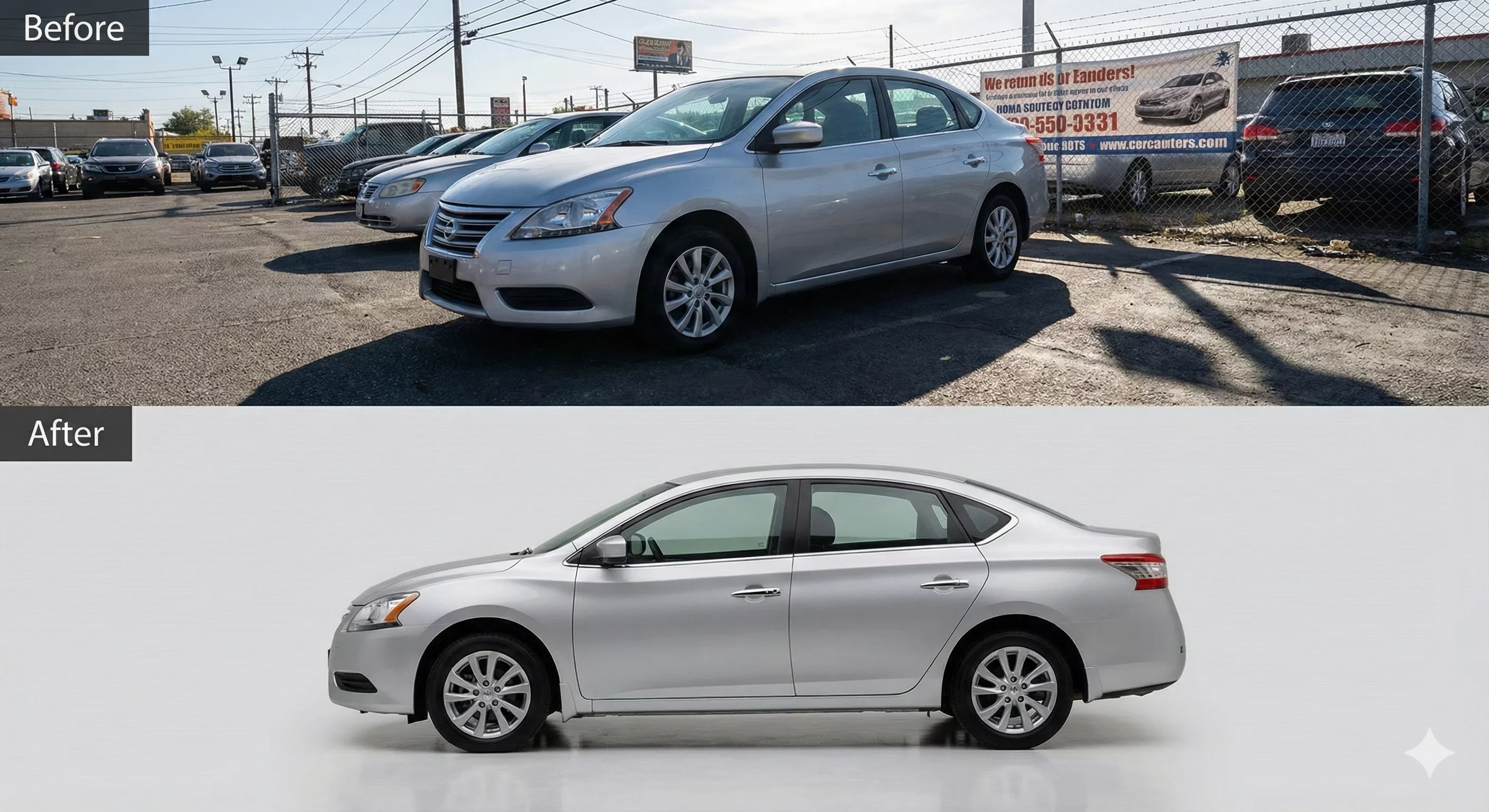
Your car photo background communicates as much as the vehicle itself. Get it wrong and buyers develop skepticism before reading your description. This guide identifies seven background mistakes that kill buyer trust and provides specific fixes for each.
Review your current inventory photos against these issues. Even one problematic listing can shape buyer perception of your entire dealership.
Mistake 1: The Obvious Cutout
The vehicle looks clearly pasted onto the background. Hard edges, visible seams, or unnatural transitions between car and scene announce that the photo has been edited.
Why This Kills Trust
Buyers who notice obvious editing wonder what else has been manipulated. The intended professional presentation backfires, triggering suspicion rather than confidence. If the dealer cannot edit photos convincingly, what other shortcuts might they take?
How to Fix It
Quality background work requires sophisticated edge handling. Consumer-grade tools often create the cutout look because they lack the masking precision automotive photos demand. Invest in tools designed for vehicle imagery that handle complex edges around mirrors, wheels, and trim correctly.
Review every processed photo at full zoom before publishing. What looks acceptable at thumbnail size may reveal cutout artifacts at larger viewing sizes. If edges look hard or unnatural, reprocess with refined settings or switch to more capable tools.
Mistake 2: Lighting Direction Contradiction
The vehicle's shadows and highlights suggest light from one direction while the background implies light from another. The car might show left-side shadows while the background features a sun setting on the right.
Why This Kills Trust
Lighting contradictions register as physically impossible, even to viewers who cannot articulate the problem. The subconscious reads the image as wrong, creating unease that attaches to the vehicle and dealer. Something feels off, and buyers learn to trust those instincts.
How to Fix It
Match background lighting to source photo lighting. If your lot photos typically have morning sun from the east, choose backgrounds with compatible light direction. Alternatively, use backgrounds with neutral or ambiguous lighting that does not conflict with varied source conditions.
Some tools offer lighting adjustment that harmonizes vehicle appearance with the replacement background. This approach allows more background flexibility while maintaining believable composites.
Mistake 3: Missing or Wrong Shadows
The vehicle has no ground shadow and appears to float above the surface. Or shadows exist but point in impossible directions or have incorrect intensity for the scene.
Why This Kills Trust
Floating vehicles look surreal and obviously fake. Even children understand that objects on surfaces cast shadows. Adults seeing a shadowless car immediately know they are looking at manipulated photography. The professional presentation intent is completely undermined.
How to Fix It
Use tools that automatically generate appropriate shadows during background replacement. Shadow angle, softness, and intensity should match the lighting implied by the new background.
Verify shadows under wheel wells and along rocker panels specifically. These areas anchor the vehicle to the ground visually. Missing or misplaced shadows here are immediately noticeable.
Mistake 4: Reflection Remnants From Original Scene
The background has been replaced, but the vehicle's windows and paint still reflect the original parking lot, buildings, or other elements that contradict the new scene.
Why This Kills Trust
Reflection remnants are smoking-gun evidence of manipulation. A car supposedly in a pristine showroom that reflects a chain-link fence raises immediate questions. Buyers who spot this inconsistency know the photo is not what it pretends to be.
How to Fix It
Advanced tools address reflections as part of the replacement process. If yours does not, minimize the problem through capture: photograph from angles that reduce problematic reflections, or choose overcast conditions that produce less distinct reflected images.
For existing photos with reflection issues, you may need to accept some compromise or manually edit reflections in traditional photo software. Neither option is ideal; better source photos prevent the problem.
Mistake 5: Inconsistent Background Across Inventory
Different vehicles in your inventory show completely different backgrounds with no apparent pattern. One car has a studio background, another shows outdoor scenes, a third has raw lot photos. The visual presentation is chaotic.
Why This Kills Trust
Inconsistency signals disorganization. If the dealership cannot maintain consistent photo standards, buyers wonder about other operational details. Does service follow procedures? Are prices accurate? Is the vehicle history complete? Visual chaos invites these questions.
How to Fix It
Choose one background approach and apply it across your entire inventory. Document your standard and ensure everyone processing photos follows it. Consistency matters more than any particular background style.
If you use multiple templates for different vehicle categories, define clear rules about which applies where. Systematic variation based on vehicle type differs from random inconsistency.
Mistake 6: Background That Oversells the Vehicle
A modest economy car sits in what appears to be a luxury penthouse showroom. An older work truck appears against a sleek, futuristic studio backdrop. The background suggests a premium level the vehicle cannot deliver.
Why This Kills Trust
Mismatched positioning creates expectation problems. Buyers attracted by premium presentation feel deceived when they encounter the actual vehicle. The gap between photo impression and reality generates negative experience that affects reviews, referrals, and return business.
How to Fix It
Match background sophistication to vehicle positioning. Economy vehicles deserve professional presentation but not luxury staging. Premium vehicles can handle refined environments. The background should enhance the car's appeal at the level appropriate to what it actually is.
When in doubt, choose simpler, more neutral backgrounds that let the vehicle speak for itself rather than making promises the product cannot keep.
Mistake 7: Visible Artifacts and Processing Errors
Close inspection reveals technical problems: halos around edges, clipped mirrors, pixelated outlines, color fringing, or other artifacts that indicate processing failures.
Why This Kills Trust
Technical errors suggest incompetence or carelessness. Professional operations produce clean work. Visible artifacts imply the dealer did not care enough to verify quality before publishing. If they are this careless with photos, what else are they careless about?
How to Fix It
Implement quality verification before any photo enters your inventory. Check edges, shadows, reflections, and overall believability at full zoom. Reject photos that show artifacts and reprocess until they meet standards.
If your current tools consistently produce artifacts, upgrade to automotive-specific solutions designed to handle vehicle photography challenges. The investment in better tools costs less than the trust lost to visible errors.
Self-Audit Your Current Inventory
Walk through your published listings and check each photo against these seven mistakes. Note which issues appear and how frequently. This audit reveals whether you have isolated problems or systemic issues requiring workflow changes.
Pay particular attention to photos that have been live longest. Standards may have evolved over time, leaving older listings with problems that newer photos avoid. Consider whether legacy photos need re-processing to match current standards.
How CarBG Prevents These Mistakes
CarBG addresses common car photo background mistakes through automotive-specific AI trained to handle vehicle imagery challenges. Edge processing minimizes halos and cutout appearance. Automatic shadow generation prevents floating vehicles. Lighting optimization harmonizes vehicle and background appearance.
The template library offers backgrounds calibrated for various vehicle types, helping match presentation level to vehicle positioning. Batch processing enforces consistency across inventory.
Quality verification remains the dealer's responsibility, but CarBG reduces the frequency of artifacts that would otherwise require correction.
Final Thoughts
Your car photo background either builds buyer trust or undermines it. The seven mistakes above represent the most common ways dealers accidentally damage their credibility through well-intentioned but flawed photo presentation. Audit your current inventory, identify which issues apply, and implement the fixes described. Clean, consistent backgrounds let your vehicles make honest impressions. Try CarBG on your problem photos and see how automotive-focused processing reduces trust-killing mistakes.
How do I know if my backgrounds are hurting buyer trust?
Review your inventory against the seven mistakes in this guide. If you find obvious cutouts, lighting contradictions, missing shadows, reflection remnants, inconsistent backgrounds, overselling positioning, or visible artifacts, these issues are likely affecting buyer perception negatively.
What is the most damaging background mistake?
All seven undermine trust, but inconsistency across inventory may be the most harmful because it affects perception of your entire dealership rather than just one vehicle. A single problematic photo might go unnoticed; inconsistent presentation across dozens of listings signals systemic disorganization.
Should I fix old listing photos or just improve new ones?
Both. Improving new photos prevents future problems, but problematic old listings continue damaging trust until corrected. Prioritize high-visibility inventory first, then work through older listings systematically.
How can I verify my photos do not have these problems?
Review every processed photo at full zoom before publishing. Check edges, shadows, lighting match, reflections, and overall believability. Have someone unfamiliar with the process review photos with fresh eyes; they often spot issues that processors become blind to.
Will better tools automatically fix these issues?
Better tools reduce artifact frequency and improve baseline quality, but do not eliminate the need for quality verification. Even sophisticated tools can produce occasional errors. Human review catches what automation misses.
How much do background mistakes actually affect sales?
Direct measurement is difficult, but poor photos reduce clicks, lower lead quality, and increase buyer skepticism at first contact. When buyers have many options, those with cleaner, more trustworthy presentation get attention first.