How to Remove Background From Car Photo Without Edge Artifacts or Floating Look
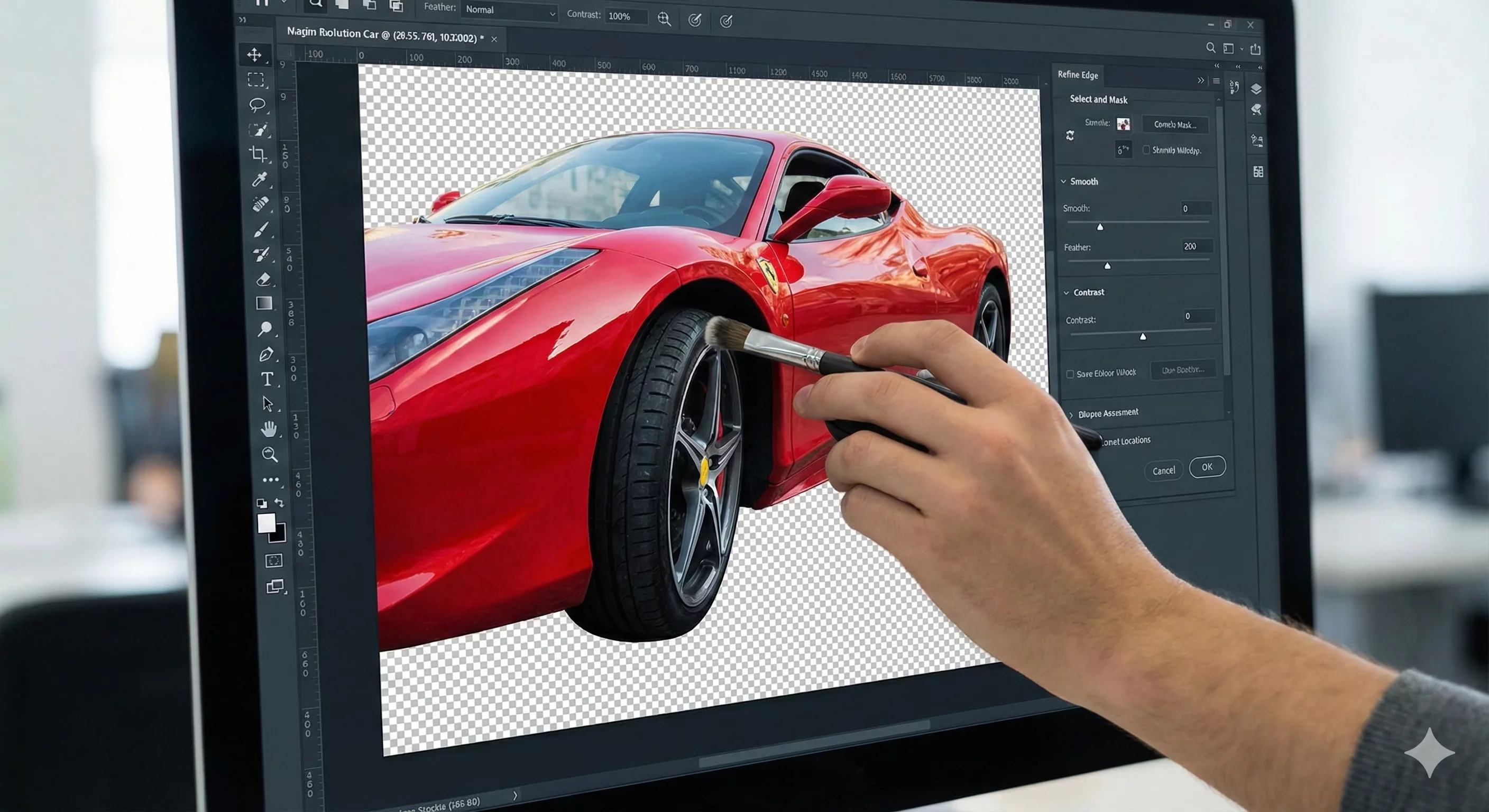
When you remove background from car photo files, the goal is seamless, believable results. But edge artifacts, floating vehicles, and obvious editing marks can undermine buyer trust faster than a cluttered lot background. This troubleshooting guide addresses the most common problems dealers encounter and provides specific fixes for each.
If your background removal results look obviously edited, work through the issues below. Most problems trace to predictable causes with straightforward solutions.
Problem: White Halos Around the Vehicle Edge
White or light-colored fringing around the vehicle outline is the most common background removal artifact. It appears as a thin bright line following the car's silhouette, most visible against dark replacement backgrounds.
Why It Happens
Halos occur when the masking algorithm includes pixels from the original light background along with the vehicle edge. During removal, these partially-selected pixels remain, creating a visible fringe. The problem worsens when the original photo has low contrast between the vehicle edge and its surroundings.
How to Fix It
First, check your source photo. Vehicles photographed against bright skies or white walls are more prone to halo artifacts. When possible, capture with darker or more neutral backgrounds behind the vehicle.
Most background removal tools offer edge refinement controls. Look for options labeled "contract selection," "edge feather," or "defringe." These settings shrink the mask slightly inward, cutting off the contaminated edge pixels. Start with small adjustments; over-contracting makes the vehicle itself look trimmed.
If your tool lacks these controls, the masking algorithm may not be sophisticated enough for automotive work. Consumer-grade background removers often struggle with the complex edges cars present. Automotive-specific tools handle these challenges more reliably.
Problem: Jagged or Pixelated Edges
Instead of smooth curves, the vehicle outline shows stair-stepping or visible pixels. This problem is especially noticeable on curved body panels and wheel arches.
Why It Happens
Jagged edges result from low-resolution masking or aggressive processing that discards edge detail. Some tools prioritize speed over precision, creating rough masks that become visible in final output.
How to Fix It
Ensure your source photos have adequate resolution. Low-resolution originals cannot produce smooth edges regardless of tool quality. For marketplace listings, source photos should be at least 2000 pixels on the longest edge.
Check your tool's quality settings. Many background removal tools offer speed versus quality trade-offs. Select higher quality settings even if processing takes longer. The time investment pays off in cleaner results.
If jagged edges persist with quality settings maximized, the tool may be inadequate for professional results. Test alternatives specifically designed for automotive imagery, where edge quality around complex shapes like mirrors and wheels receives particular attention.
Problem: The Vehicle Looks Like It Is Floating
After background replacement, the car appears to hover above the ground rather than sitting on a surface. This immediately signals artificial editing to viewers.
Why It Happens
When you remove background from car photo files, you also remove the shadow connecting the vehicle to the ground. Without that shadow, there is no visual cue anchoring the car to the surface below it. The absence of ground contact reads as physically impossible.
How to Fix It
Quality background replacement must include shadow generation. If your tool removes the original shadow, it should add a new one consistent with the replacement scene. Check that shadows appear beneath the vehicle, particularly under the wheel wells and along the rocker panels.
Shadow appearance should match the replacement background's implied lighting. A bright outdoor scene needs darker, more defined shadows. An overcast or studio setting needs softer, more diffused shadows. Mismatched shadow intensity breaks believability.
If your tool does not generate shadows automatically, you will need to add them manually or switch to a more capable solution. Manual shadow creation in photo editing software is time-consuming and difficult to do convincingly. Purpose-built automotive tools handle this automatically.
Problem: Missing Details Around Mirrors and Antennas
Thin protrusions like side mirrors, antennas, and roof rails appear partially cut off or show obvious masking errors.
Why It Happens
Complex shapes with thin extensions challenge masking algorithms. The contrast between a thin antenna and the background may be insufficient for reliable detection. Mirrors present compound problems: their stems are thin, their housings have complex curves, and their surfaces reflect the surrounding environment.
How to Fix It
Source photo quality matters significantly here. Sharp focus on edge details helps algorithms detect thin shapes accurately. Avoid photos where mirrors or antennas blur into the background.
Some tools allow manual mask refinement. If automatic detection misses thin details, manually painting them back into the selection can recover lost elements. This adds processing time but may be necessary for challenging photos.
Tools specifically trained on vehicle imagery generally handle mirrors and antennas better than generic background removers. If these details consistently fail, consider switching to automotive-focused tools that prioritize these common problem areas.
Problem: Wheel Spokes Show Background Bleed-Through
The gaps between wheel spokes retain traces of the original background, showing through in the final composite.
Why It Happens
Wheel spokes create small, complex gaps that some masking algorithms fail to detect as background. The dark spaces between spokes may be interpreted as part of the wheel rather than empty areas through which the background should be removed.
How to Fix It
High-contrast source photos help algorithms distinguish spoke gaps from wheel components. Avoid photographing wheels in deep shadow where these details become muddy.
Check if your tool offers wheel-specific detection or refinement options. Some automotive tools have dedicated logic for handling wheel openings. If available, enable these features for more accurate spoke handling.
When automatic detection fails, manual refinement may be necessary. This typically involves painting spoke gaps into the background selection. While tedious, it produces cleaner results than accepting bleed-through artifacts.
Problem: Window Reflections Show the Original Scene
Even after background replacement, the vehicle's windows still reflect the original parking lot, buildings, or other elements that contradict the new background.
Why It Happens
Glass surfaces reflect their surroundings. Standard background removal only addresses areas outside the vehicle silhouette. Window reflections inside that silhouette remain unchanged, creating obvious inconsistency between the replaced background and the reflected environment.
How to Fix It
Some advanced tools address window reflections as part of the replacement process, either removing reflections entirely or replacing them with content consistent with the new background. Check whether your tool offers reflection handling.
If not, capture source photos that minimize problematic reflections. Photograph from angles that reduce sky and building reflections in glass. Slightly overcast conditions often produce less distracting reflections than bright sun.
For existing photos with problematic reflections, manual editing in traditional photo software can reduce reflection intensity or replace reflected content. However, this significantly increases processing time per photo.
Problem: Ground Contact Looks Unnatural
Where the tires meet the ground, the transition looks awkward. The contact patch may appear clipped, or the ground surface does not deform realistically beneath the vehicle weight.
Why It Happens
The tire-ground interface requires precise masking plus appropriate shadow handling. Errors in either create visible problems. Additionally, realistic ground contact includes subtle effects like tire compression and surface interaction that simple background replacement does not address.
How to Fix It
Verify that masking accurately follows the tire perimeter without cutting into the rubber. Zoom in on each wheel's ground contact point during review.
Shadow placement is critical here. The darkest shadow should appear directly beneath the tire contact patch, with gradual falloff away from the vehicle. If shadows appear displaced or uniform, adjust positioning or intensity.
Simple replacement backgrounds with uniform ground surfaces accept tire contact more naturally than complex textured surfaces. If ground interaction consistently looks problematic, consider switching to simpler replacement scenes.
Quality Assurance Checklist
Before exporting any background-removed photo, verify these elements:
- No white or colored halos around the vehicle outline
- Smooth edges on curved body panels and wheel arches
- Shadow present beneath the vehicle, appropriately positioned
- Mirrors, antennas, and roof rails intact without clipping
- Wheel spoke gaps clear of background bleed-through
- Window reflections either removed or consistent with new background
- Natural tire-to-ground contact without awkward transitions
Check each element at full zoom. Problems invisible at thumbnail size become glaring when buyers click for larger views.
How CarBG Addresses These Issues
CarBG uses AI trained specifically on vehicle imagery to handle the edge cases that cause common artifacts. The platform's masking addresses mirrors, antennas, and wheel spokes with automotive-aware detection rather than generic object recognition.
Automatic shadow generation ensures vehicles remain grounded in their replacement scenes. Lighting optimization helps match vehicle appearance to the new background, reducing the visual disconnects that make composites look artificial.
For dealers processing high volumes, CarBG's reliability across varied source photos reduces the per-image troubleshooting that slows manual workflows.
Final Thoughts
When you remove background from car photo files, clean execution separates professional results from obviously edited images. Most artifacts trace to specific causes with specific fixes. Use the troubleshooting guide above to diagnose problems, then address root causes rather than accepting compromised quality. Buyers scrutinize your photos closely; give them images that hold up to inspection. Test CarBG on photos that have given you trouble and see how automotive-focused processing handles the details.
Why does my car look like it is floating after background removal?
The floating appearance happens when the original shadow is removed without adding a replacement shadow. Quality background removal tools generate new shadows consistent with the replacement scene. If your tool lacks shadow generation, you will need to add shadows manually or use a more capable solution.
How do I get rid of the white halo around my car?
White halos occur when edge pixels from the original background contaminate the mask. Use your tool's edge refinement or defringe controls to contract the selection slightly, cutting off the contaminated pixels. If no such controls exist, consider switching to a tool with better edge handling.
Why are my wheel spokes showing the old background?
Masking algorithms sometimes fail to detect the small gaps between wheel spokes as background areas. Higher contrast source photos help, as do tools with automotive-specific wheel detection. Manual refinement may be necessary for persistent problems.
Can I fix window reflections after background removal?
Some advanced tools handle reflections during the replacement process. For tools that do not, manual editing can reduce or replace problematic reflections, though this adds significant processing time. Prevention through careful capture angles often works better than correction.
What resolution should my source photos be?
For marketplace listings, source photos should be at least 2000 pixels on the longest edge. Higher resolution provides better edge detail for clean masking. Low-resolution originals produce jagged edges regardless of tool quality.
Are some cars harder to remove backgrounds from than others?
Yes. Vehicles with complex shapes, chrome trim, transparent elements, or dark colors against dark backgrounds present more challenges. Consistent, well-lit source photos reduce difficulty across all vehicle types.