
How to Blur a License Plate in a Photo: A Guide for Dealerships
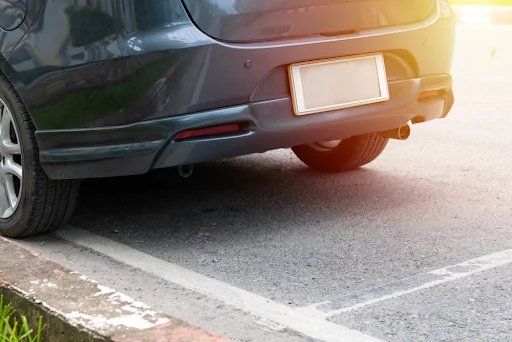
Searching for how to blur a license plate in a photo usually means you are about to post a car online and want the registration hidden first. The fix is simple: cover the plate so the characters cannot be read, then save a new copy of the image.
You can do it by hand in a photo editor, drag a box over the plate to blur a number plate online, or use software that finds and redacts the plate for you. For one car, any of these works. For a dealership listing dozens of vehicles a week, editing each photo by hand stops being practical. Luckily, we have a solution for this.
How to blur license plate in a photo: the methods that work
Pick the method that fits how many cars you are listing. Here they are, slowest to most scalable.
1. By hand on your phone
Open the photo and use the built-in markup tool. On an iPhone, tap Edit, then the Markup icon, and drop a filled shape over the plate. Most Android galleries have the same under Edit or Markup. Phones rarely include a real blur, so the reliable move is a solid block straight over the registration. It needs nothing installed and takes a few seconds per photo.
That is fine for one car. Across a full lot, it gets inconsistent quickly, with the cover landing in a slightly different spot on every shot.
2. In a desktop editor
For an actual blur, use a proper editor.
In Photoshop, select the plate with the rectangular marquee, then run Filter, Blur, Gaussian Blur, or Filter, Pixelate, Mosaic for a pixelated finish. In the free GIMP, rectangle-select the plate and use Filters, Blur, Pixelize.
On a Mac, Preview lets you drop a filled rectangle over the plate from its markup tools. Whatever you use, export a new file so the original stays intact.
A pixelate or a heavy blur is safer than a light smudge, which can sometimes be sharpened back to readable.
3. Blur a number plate online
Prefer not to use an editor? An online blur image tool lets you hide a number plate in seconds: upload your photo, select the plate area, apply blur or pixelation, and download the finished image.
Some detect the plate for you. For a single photo, it is the quickest route. The limits show up at volume, where free tools cap file sizes, add watermarks, and still make you handle one image at a time.
4. With a license plate blur tool built for cars
For a dealership, this is the practical answer. A license plate blur tool that detects the plate in a normal listing shot removes the manual hunt, and the better ones run a full batch at once.
Car Background AI handles plates inside the same workflow that fixes the rest of the photo, which matters more than it sounds, because the plate is almost never the only thing wrong with a raw lot shot.

The plate is one fix out of several
A car photographed in the corner of the lot, next to a stack of tires on a stained floor, has bigger problems than a visible plate. The background is cluttered, the lighting is uneven, and it looks nothing like your other listings. Redact the plate and leave the rest, and you still have an amateur photo that happens to be private.
The useful goal is a listing-ready image in one pass. That’s why dealerships use our tool. Our AI car photo editor for dealers cleans up the shot and sets the car on a clean, consistent backdrop, with the plate handled in the same place instead of as a separate step.
Volume is the other half.
If you’re a dealership, you are not editing just one car. With our bulk car editing tool, you can run a whole set at once, so they come out matching. Finally, you can use our dealership branding to put your logo and style on every shot.
In just a few minutes, you end up with an inventory that looks like one studio shot it, with plates handled the same way on each car.
Why dealers blur plates before a car goes live
A plate seen in traffic is a passing detail. The same plate in a public listing is a permanent, searchable record that strangers can copy and reuse. That is the real reason to redact it.
The main risk is plate cloning. Criminals scan listings for clear shots of a registration, then bolt a copy onto a similar car to dodge speeding fines and toll charges. The notices land on the registered owner.
The UK government runs a process for reporting a cloned number plate, which tells you how routine this has become. This issue has been widely analyzed lately, including a BBC article about car cloning cases. A dealer listing that shows the plate next to the make, model, and trim only makes a clone easier to pull off.
It is also a professional signal. Big platforms already treat plates as sensitive data. Google blurs every identifiable license plate in Street View by default, on the basis that a readable plate is personal information. A listing that handles plates cleanly reads as a careful operation, and that matters when a buyer is deciding whether to trust your asking price.
If the car is a trade-in, there is a courtesy point too: the previous owner's registration does not need to sit online attached to a car they no longer own.
Mistakes to avoid when you hide a license plate in a car photo
Most botched edits trace back to the same few errors. Worth checking your process against these before a batch goes live:
- Blurring half the back of the car. Keep the redaction tight to the plate so it does not look like you are hiding damage.
- Using a blur so soft that the characters can still be read or recovered. A pixelate, or a solid block is safer.
- Cropping the plate out and losing the rear angle that buyers want to see. Cover the plate, do not cut the shot.
- Saving over your only copy. Always export a new file and keep the untouched original.
Done right, the plate disappears, and the photo still looks untouched.
Final thoughts
Hiding the plate protects your customer and your business, but it doesn’t sell the car on its own. What sells is a listing that looks trustworthy at a glance: clean background, even light, your branding, and no exposed registration.
Hit that standard across your whole inventory, and you get more clicks and stronger leads, and buyers have less room to talk your price down. Car Background AI covers the plate and the rest of the image in one workflow. Try it for free and run your next batch through.
FAQ
Is it legal to show a license plate in a listing?
In most places, it is not illegal, but it exposes your customer to cloning and tracking and can raise data-protection concerns. Blurring is the safer default for any public car listing.
Do car marketplaces require blurred license plates?
Rules vary by platform and region, and some marketplaces now blur plates automatically. Even where it is optional, redacting plates protects sellers and signals a careful, professional listing.
Will a blurred plate make buyers trust my listing less?
No. A tidy, deliberate blur reads as professional, the way major platforms already handle plates. Buyers judge the car's condition and angles, not its registration number.
Should dealers blur or fully remove the plate?
Either works as long as the characters cannot be read. A clean blur or a neutral block keeps the photo looking natural, while sloppy removal can leave the shot looking edited.
Can I blur plates across my whole inventory at once?
Yes. A tool like Car Background AI detects plates automatically and supports batch processing, letting you redact a full set of listing photos together, rather than editing each car one image at a time.
75 E 3rd street, Sheridan, WY, 82801, USA
