How to Build a Bulk Car Background Processing Pipeline for High-Volume Dealers
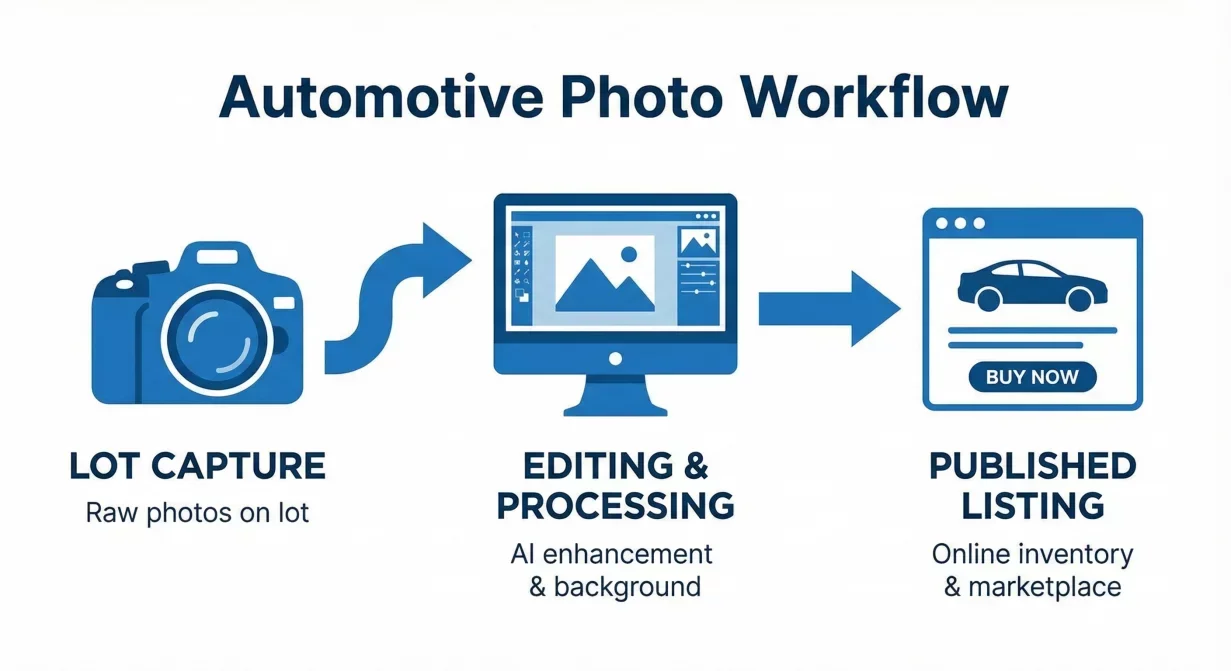
A bulk car photo processing pipeline transforms how high-volume dealers handle inventory photography. When you process one hundred or more vehicles monthly, individual car background editing becomes operationally impossible. You need a system designed for throughput, not individual attention.
This guide walks through designing and implementing a photo processing pipeline that handles volume without sacrificing quality or burning out your team.
The pipeline at a glance
- Intake and preparation
- Photo capture
- Batch processing
- Quality verification
- Export and distribution
Understanding pipeline thinking
Pipeline thinking differs fundamentally from task thinking. In task thinking, you complete one vehicle's photos entirely before starting the next. In pipeline thinking, multiple vehicles move through different stages simultaneously.
A vehicle arriving today might have photos captured while yesterday's vehicle is being processed and the day-before's vehicle is being uploaded to listings. Work flows continuously rather than starting and stopping with each vehicle.
This continuous flow dramatically increases throughput. The same team processes more vehicles because waiting time between stages disappears.
Pipeline stage design
An effective bulk processing pipeline includes distinct stages with clear handoffs between them.
Stage 1: Intake and preparation
New inventory enters the pipeline. This stage includes:
- vehicle identification and tracking setup
- preparation verification
- assignment to capture queue
- priority determination if applicable
Stage 2: Photo capture
Photographers work through the capture queue:
- standard shot sequence execution
- on-device quality verification
- file transfer to processing queue
- capture completion confirmation
Stage 3: Batch processing
Photos are processed in bulk batches:
- photo organization by vehicle
- template application to vehicle sets
- batch execution across multiple vehicles
- initial output review
Stage 4: Quality verification
Processed photos are verified against standards:
- edge and artifact inspection
- consistency check within vehicle sets
- standards compliance verification
- rework flagging for issues
Stage 5: Export and distribution
Approved photos are formatted and distributed:
- platform-specific export generation
- file organization and naming
- upload to marketplaces and website
- listing attachment verification
Capacity planning for volume
Each pipeline stage has capacity limits. Understanding and balancing these limits prevents bottlenecks that constrain overall throughput.
One photographer capturing twelve photos per vehicle, averaging seven minutes per vehicle, processes approximately eight vehicles per hour. An eight-hour day yields roughly sixty vehicles.
With bulk processing tools, one operator can process ten to fifteen vehicle sets per hour including upload, batch execution, and initial review. Processing capacity typically exceeds capture capacity when using automated tools.
Batch size optimization
In bulk processing, batch size affects efficiency and flexibility. Large batches maximize efficiency but delay output. Small batches provide faster feedback but increase overhead.
For most high-volume operations, batch sizes of ten to twenty vehicles balance efficiency with responsiveness. Process whatever accumulates during a natural interval rather than waiting for arbitrary batch sizes.
Queue management
Queues form at each stage boundary. Managing these queues keeps the pipeline flowing smoothly. Make queue depths visible to everyone involved. Set maximum acceptable queue depths. Define how priority items move through queues without completely disrupting normal flow.
Error handling in bulk operations
At volume, errors are inevitable. Your system must handle them without manual intervention for each occurrence. Build checks that automatically flag issues. Route flagged items to rework handling rather than stopping the pipeline. Track rework separately from normal flow.
Metrics for pipeline health
Measure pipeline performance to identify improvement opportunities. Track:
- vehicles processed per day
- photos processed per hour by stage
- average time from intake to published listing
- first-pass quality rate
- rework frequency by error type
- queue depths at each stage
How Car Background AI enables bulk processing
Car Background AI provides the batch processing infrastructure essential to bulk pipelines. Upload multiple vehicle sets, apply templates across all simultaneously, and export formatted results in bulk operations.
The platform's automotive-specific processing handles edge cases reliably at volume, reducing rework that would otherwise create pipeline bottlenecks.
Final thoughts
Building a bulk car photo processing pipeline transforms high-volume photo operations from overwhelming chaos to manageable flow. Design distinct stages, balance capacity across the pipeline, optimize batch sizes, manage queues actively, handle errors systematically, and measure performance continuously. Start with Car Background AI as the bulk processing engine powering your pipeline.
Frequently asked questions
How many vehicles can one person process daily with bulk tools?
With proper bulk processing tools and established workflows, one operator can process eighty to one hundred twenty vehicle sets daily through the processing stage. Actual throughput depends on photo count per vehicle and quality verification requirements.
What batch size works best for bulk processing?
Batches of ten to twenty vehicles balance efficiency with responsiveness for most operations. Process whatever accumulates during natural intervals rather than waiting for arbitrary batch sizes.
How do I know if my pipeline is bottlenecked?
Growing queues before a stage indicate that stage is the bottleneck. Focus improvement efforts on the actual constraint rather than adding capacity to unconstrained stages.
Should I process photos in order received or by priority?
Process primarily in order received to maintain predictable flow, but implement a separate priority lane for time-sensitive vehicles. Constant reordering disrupts flow more than dedicated handling of urgent items.
How do I handle processing errors at high volume?
Build automated detection that flags issues without stopping the pipeline. Route flagged items to separate rework handling while normal flow continues. Track rework rates and investigate root causes.

Tamas Magda
Co-founder, Growth and Partnerships at Car Background AI
Tamas Magda is co-founder of Car Background AI (carbackground.ai, CarBG), an AI car photo editor that replaces backgrounds on dealership inventory photos. He leads partnerships, growth, and business architecture, working with the development team on the product roadmap and with dealers on what their online listings actually need. He brings a background in venture building across APAC and MENA, and writes about vehicle merchandising, dealer photo workflows, and using AI on listing images without altering the car itself.
Tamas is a co-founder of Car Background AI and has a financial interest in the company. Articles that mention Car Background AI reflect that relationship.