Car Background Optimization for Facebook Marketplace: Sizing, Format, and Best Practices
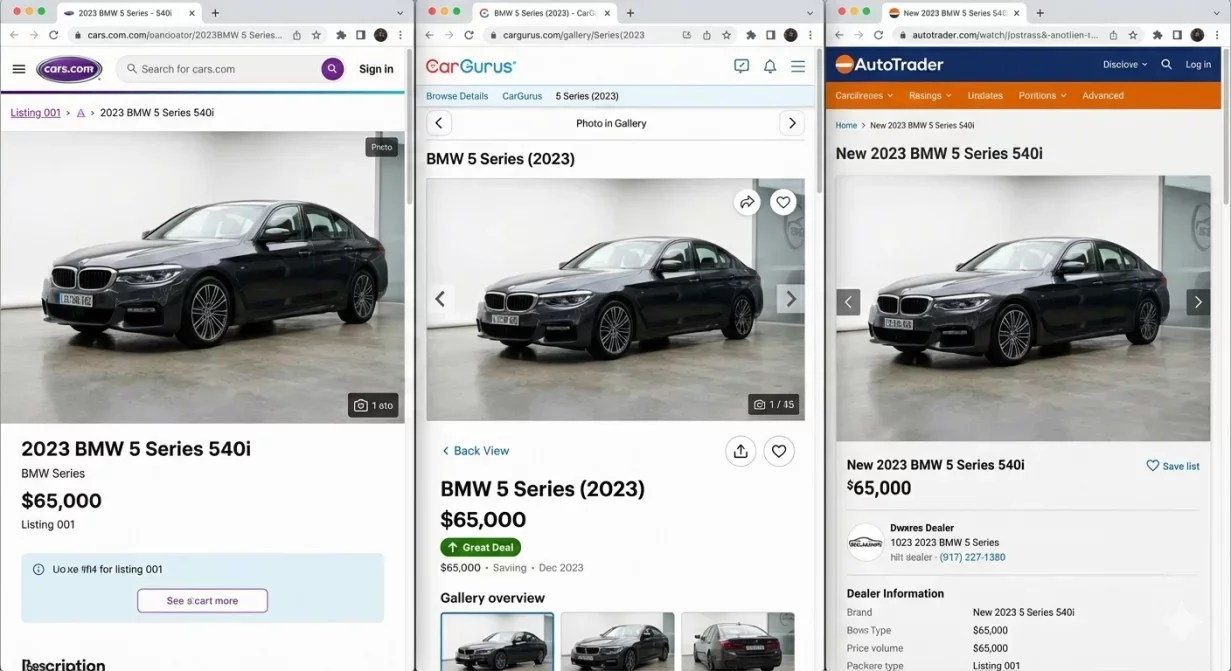
Car background photography for Facebook Marketplace requires different optimization than automotive-specific platforms. Facebook users scroll quickly through mixed content on mobile devices, making first impressions even more critical. This guide covers the sizing, format, and presentation strategies that help dealer listings stand out in the Facebook environment.
Understanding how Facebook displays and processes images enables you to create listings that capture attention and generate inquiries from this high-traffic platform.
Why Facebook Marketplace differs from automotive platforms
Facebook Marketplace is not a dedicated automotive platform. Your vehicle listings compete with furniture, electronics, clothing, and everything else users post. This mixed environment changes what works for car photos.
Users scroll rapidly through the feed. You have less than a second to register as worth clicking. Photos that work on Cars.com or AutoTrader may not stand out in the Facebook feed where visual competition is broader and attention is more scattered.
Mobile dominates Facebook usage. Most Marketplace browsing happens on phones, not desktops. Photos must communicate clearly at small mobile sizes where details become difficult to discern.
The Facebook algorithm rewards engagement. Listings that generate clicks and saves receive more visibility. Quality photos that attract interaction create a positive feedback loop that increases your reach.
Facebook Marketplace image specifications
Facebook handles various image sizes but optimizes for specific dimensions. Working within these parameters ensures your photos display correctly.
Recommended dimensions
- Optimal size: 1200 x 628 pixels for the primary listing image. This 1.91:1 aspect ratio displays well in the feed format without cropping.
- Minimum width: 600 pixels, though this produces lower quality display.
- Gallery images: beyond the primary photo, 1200 x 1200 pixels (square) or 1200 x 900 pixels (4:3) work well and display predictably across devices.
File format and size
- Format: use JPEG for all uploads. Facebook compresses images regardless of source format, and JPEG handles this re-compression better than PNG.
- Quality: start with high quality (85-95 percent JPEG compression) since Facebook will compress further. Lower quality source files degrade significantly after Facebook processing.
- File size: keep file sizes under 4MB. Larger files upload slowly and may timeout on mobile connections. Facebook will resize and compress anyway, so massive source files offer no quality benefit.
Color space
Use sRGB color space. Other color spaces may display incorrectly after Facebook processing. Convert to sRGB before upload to ensure accurate color representation.
Composing photos for the Facebook feed
The Facebook feed environment requires specific composition strategies to ensure your vehicles stand out.
Hero image priority
The first image carries disproportionate weight on Facebook. Users see only the primary photo in feed view before deciding to click. Make your hero shot unmistakably a vehicle and unmistakably professional.
Three-quarter front angle works best for hero shots. This view shows the most vehicle character while remaining immediately recognizable as a car listing among other content types.
Clean, contrasting backgrounds
Facebook feed items appear against various interface colors and alongside diverse content. Clean backgrounds with good contrast help your vehicle pop from the surrounding visual noise.
Avoid busy backgrounds that blend into the general feed clutter. Solid or simple gradient backgrounds perform better than complex scenes in the scrolling environment.
Center the vehicle
Facebook displays photos differently across devices and contexts. Centered vehicles survive various cropping scenarios better than off-center compositions. Keep the complete vehicle within the center 75-80 percent of the frame.
Bright, clear presentation
Dark or muddy photos disappear in the feed. Ensure good exposure with the vehicle clearly lit and visible. When users scroll quickly, bright, clear photos register while dim ones get passed.
Optimizing the photo gallery
Beyond the hero image, your gallery photos influence whether interested users contact you.
Gallery sequence
After the hero shot, sequence gallery photos to answer buyer questions progressively. Exterior angles first, then interior overview, then detail shots. Odometer and condition-specific photos near the end.
Facebook shows a photo count that encourages users to view more. Having 8-12 quality photos suggests a complete presentation without overwhelming.
Consistency across gallery
Maintain consistent visual treatment across all gallery photos. Matching backgrounds, similar exposure, and unified style create professional impression. Random variation suggests carelessness.
Mobile gallery experience
Users swipe through galleries on mobile. Each photo should stand alone as a clear, complete view. Avoid photos that only make sense in sequence or require comparison to other shots.
Common Facebook Marketplace photo mistakes
Certain approaches that work elsewhere fail specifically on Facebook.
Photos that look like ads
Facebook users are trained to scroll past advertising. Photos with heavy text overlays, promotional graphics, or obvious dealer branding may trigger ad-blindness. Keep photos focused on the vehicle rather than marketing messages.
Collages and split images
Multi-image collages reduce the size of each view and appear amateurish. Upload individual photos to the gallery rather than combining them into single files.
Screenshots and cropped photos
Photos obviously cropped from larger images or captured as screenshots signal low effort. Take or export photos specifically sized for Facebook rather than repurposing random crops.
Inconsistent quality
Mixing professional-looking photos with amateur snapshots undermines the professional ones. Either maintain consistent quality throughout or remove the weaker photos entirely.
Leveraging Facebook features
Facebook offers features that can enhance your listing performance beyond photo quality.
Vehicle-specific fields
Complete all vehicle-specific fields Facebook offers: make, model, year, mileage, transmission. These improve search visibility and filter appearance. Photos attract clicks; complete data improves findability.
Location settings
Set location accurately. Facebook prioritizes local listings. Accurate location ensures your vehicle appears for nearby buyers most likely to visit.
Refresh timing
Facebook surfaces recently updated listings more prominently. Periodically refreshing listings (even without changes) can improve visibility. When refreshing, verify your photos still meet current quality standards.
How Car Background AI supports Facebook optimization
Car Background AI provides export presets configured for Facebook Marketplace requirements. The platform handles dimension, aspect ratio, and compression settings automatically.
Clean background replacement creates the contrast that helps vehicles stand out in the Facebook feed. Consistent processing across your inventory ensures unified presentation that builds professional perception.
Final thoughts
Car dealer photography for Facebook Marketplace requires understanding the platform unique display environment and user behavior. Optimize for mobile viewing, use the 1.91:1 aspect ratio for hero images, maintain clean backgrounds that contrast with the feed, and ensure consistent quality across your gallery. These adjustments help your listings stand out in the mixed-content environment where Facebook users browse. Process your inventory through Car Background AI with Facebook-optimized export settings.
Frequently asked questions
What size photos work best for Facebook Marketplace?
1200 x 628 pixels (1.91:1 ratio) for hero images displays optimally in the feed. Gallery images work well at 1200 x 1200 or 1200 x 900. These sizes balance quality with loading speed on mobile devices.
Why do my photos look worse on Facebook than on other platforms?
Facebook compresses all uploaded images. Starting with higher quality source files (85-95 percent JPEG) helps survive this compression. Photos that look acceptable on other platforms may degrade noticeably after Facebook processing.
How many photos should I include in a Facebook Marketplace listing?
8-12 photos provide comprehensive coverage without overwhelming. Cover all standard angles plus key details. More photos suggest complete transparency; too many may include weak shots that undermine overall quality.
Should I add text or watermarks to Facebook Marketplace photos?
Minimal or none. Heavy text overlays trigger ad-blindness as users scroll past what looks like advertising. Keep photos focused on the vehicle. Contact information belongs in the listing description, not on photos.
Why is the hero image so important on Facebook?
Users see only the first photo in feed view before deciding to click. You have under a second to register as worth viewing. The hero image must clearly show a vehicle and appear professional enough to warrant further attention.
How often should I refresh my Facebook Marketplace listings?
Weekly refresh can improve visibility as Facebook surfaces recent activity. When refreshing, verify photos still meet quality standards. Outdated or poor-quality photos waste the visibility boost from refreshing.

Tamas Magda
Co-founder, Growth and Partnerships at Car Background AI
Tamas Magda is co-founder of Car Background AI (carbackground.ai, CarBG), an AI car photo editor that replaces backgrounds on dealership inventory photos. He leads partnerships, growth, and business architecture, working with the development team on the product roadmap and with dealers on what their online listings actually need. He brings a background in venture building across APAC and MENA, and writes about vehicle merchandising, dealer photo workflows, and using AI on listing images without altering the car itself.
Tamas is a co-founder of Car Background AI and has a financial interest in the company. Articles that mention Car Background AI reflect that relationship.