15 Car Dealership Photography Tips That Reduce Rework and Speed Publishing
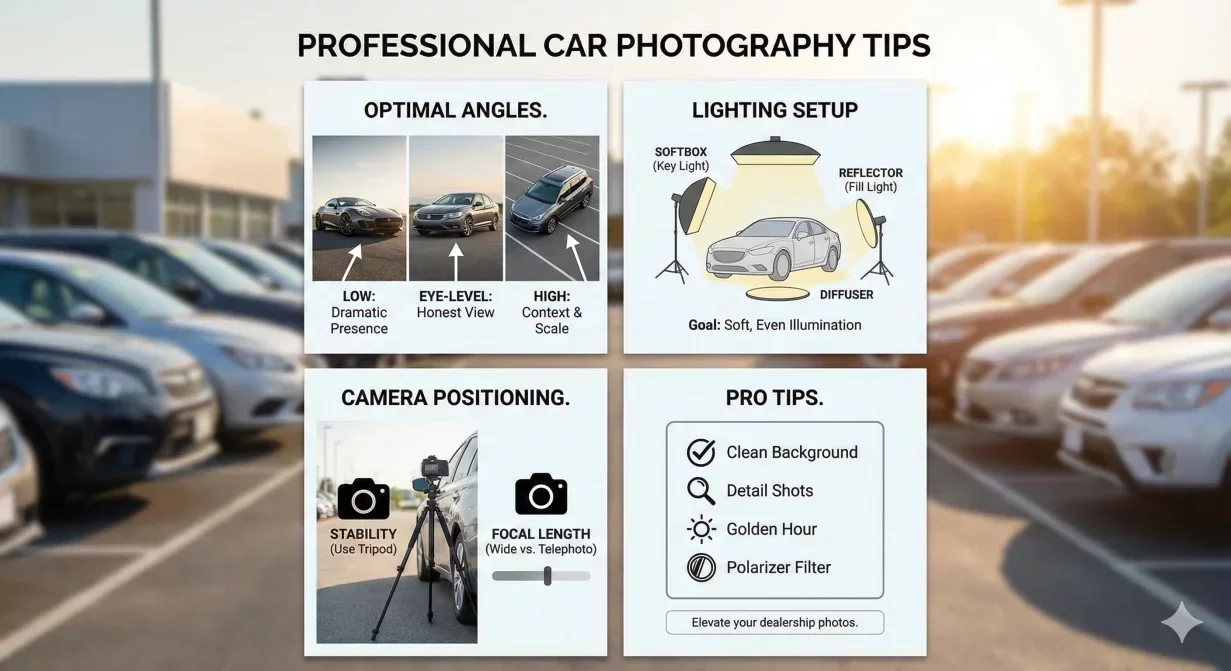
These car dealership photography tips address the real problems lot photographers face daily: inconsistent conditions, time pressure, mixed equipment, and the constant need to balance speed with quality. Each tip directly reduces rework, speeds processing, or prevents errors that delay publishing.
Print this list and share it with everyone who captures vehicle photos. Consistent application across your team produces consistent results across your inventory.
At a glance
- Clean the vehicle completely before shooting
- Check and remove distracting elements
- Position the vehicle thoughtfully
- Stage the interior before exterior shots
- Use the same device consistently
- Lock exposure for the vehicle set
- Disable HDR for standard inventory
- Clean your lens before every vehicle
- Follow the same shot sequence every time
- Maintain consistent distance and height
- Leave adequate space around the vehicle
- Verify focus before moving on
- Avoid harsh midday sun
- Watch for reflections
- Shoot with light, not against it
Pre-capture tips
Tip 1: clean the vehicle completely before shooting
Dirt on paint, water spots on glass, and debris in interiors all show in photos. Post-processing cannot convincingly remove physical contamination. A quick wash and interior wipe prevents hours of rework or buyer questions about vehicle condition.
Establish minimum cleanliness standards and verify them before photography begins. The five minutes spent cleaning saves far more time than editing around dirt or reshooting dirty vehicles.
Tip 2: check and remove distracting elements
Walk around the vehicle before capturing anything. Look for these common distractions:
- Price stickers partially visible
- Paper floor mats left in place
- Dealer plates at odd angles
- Personal items in trade-in vehicles
These elements require cropping, editing, or reshooting when noticed later. Make element checking part of your pre-shoot routine. A thirty-second walk-around prevents thirty-minute corrections.
Tip 3: position the vehicle thoughtfully
Where the vehicle sits determines what appears in backgrounds and how light falls on the paint. Even with background replacement tools, better positioning produces better source photos. Move vehicles away from dumpsters, other cars, and busy backgrounds when possible.
Identify two or three default positions on your lot that offer the cleanest backgrounds and most consistent lighting. Use these positions routinely to standardize capture conditions.
Tip 4: stage the interior before exterior shots
Open doors and hatches for interior photos affect exterior shot sequences. Stage the interior first, including seat position, steering wheel angle, and door presentation. Then close everything for exterior shots. This prevents needing to restage or revisit the vehicle.
Equipment and settings tips
Tip 5: use the same device consistently
Different cameras and phones produce different color profiles, exposures, and image characteristics. Mixing devices creates inconsistency that processing must correct. Standardize on one device type for all photography to minimize variation in source material.
If multiple devices are necessary, configure them identically and test that their outputs match acceptably.
Tip 6: lock exposure for the vehicle set
Auto-exposure adjusts for each frame, creating variation across your shot sequence as background brightness changes. Lock exposure on the vehicle itself for the first shot, then maintain that setting for all angles. Consistent exposure produces consistent processing results.
On most phones, tap and hold on the vehicle to lock exposure before shooting. Release when you move to interior shots where lighting differs significantly.
Tip 7: disable HDR for standard inventory
HDR processing creates inconsistent results across varying conditions and can produce unnatural-looking images. For standard inventory photography, consistent single-exposure images process more predictably. Disable HDR in your camera settings.
Exception: extremely high-contrast situations like dark interiors with bright windows may benefit from HDR. Evaluate case by case rather than leaving HDR always on.
Tip 8: clean your lens before every vehicle
Fingerprints and smudges accumulate on phone lenses during normal handling. Even slight contamination creates hazy images that no processing can sharpen. Wipe the lens with a soft cloth before starting each vehicle's photo set.
Make lens cleaning automatic habit, not something you remember after noticing fuzzy results.
Capture technique tips
Tip 9: follow the same shot sequence every time
Standardizing your shot order ensures completeness and simplifies file organization. Start with hero three-quarter front, proceed around the exterior in consistent direction, then capture interior in standard sequence. Never rely on memory to confirm you captured everything.
Document your standard sequence with a numbered list. New staff can follow it immediately; experienced staff can verify completeness against it.
Tip 10: maintain consistent distance and height
Photos captured from random distances and heights look random in listings. Standardize your position relative to each vehicle: same distance from body for side shots, same height for all angles, same centering approach. Consistency in capture creates consistency in presentation.
Mark reference points on your lot or use body positioning cues like "two arm lengths from the vehicle" to maintain distance consistency.
Tip 11: leave adequate space around the vehicle
Tight framing leaves no room for cropping adjustments or marketplace safe zones. Include buffer space around all edges. Processing can always crop tighter; it cannot add space that was never captured.
As a rule, include at least one foot of visible space beyond the vehicle in all directions. More is better than less.
Tip 12: verify focus before moving on
Soft focus cannot be corrected in processing. After capturing each shot, check the preview for sharpness. Zoom in on a detail if necessary. Recapturing a soft shot takes seconds; discovering it later may require returning to a vehicle that has moved or sold.
Build verification into your rhythm: capture, check, move to next position. Never assume the shot is good without looking.
Lighting tips
Tip 13: avoid harsh midday sun
Direct overhead sun creates harsh shadows and blown highlights that processing struggles to correct. Early morning and late afternoon provide softer, more flattering light. Overcast days offer even, diffused illumination that photographs well from any angle.
If you must shoot at midday, seek shade or accept that results will require more aggressive processing correction.
Tip 14: watch for reflections
Paint and glass reflect surrounding elements including other vehicles, buildings, and the photographer. Check reflective surfaces for distracting elements before capturing. Slight repositioning often eliminates problematic reflections without significant effort.
Wearing dark, non-logo clothing reduces your visibility in reflections. Bright shirts and company logos often appear in paint and window reflections.
Tip 15: shoot with light, not against it
Positioning yourself so light falls on the vehicle face produces better exposure than shooting into the light source. For exterior shots, keep the sun behind you or to the side. Backlighting silhouettes vehicles and blows out windows, creating problems no processing can fully correct.
Observe shadow direction and position yourself so shadows fall away from camera rather than toward it.
Implementing these tips
Tips only help when applied consistently. Transform this list into action through deliberate implementation.
- Share with all photographers: Print copies for everyone who captures vehicle photos. Review together so everyone understands why each tip matters.
- Spot-check compliance: Periodically observe photography in progress and review captures before processing. Provide feedback when tips are not being followed.
- Track improvement: Measure rework rates before and after tip implementation. Reducing reshoot requests validates that tips are working.
- Refine for your context: Adapt tips based on your specific lot conditions, equipment, and workflow. These guidelines provide starting points; local optimization makes them fully effective.
How Car Background AI leverages better captures
Photos captured following these tips process faster and cleaner through Car Background AI's automated workflow. Consistent source quality produces consistent output quality. Background replacement, lighting optimization, and color enhancement all work better when starting from well-captured originals.
The batch processing system amplifies good capture practices across your entire inventory. Every vehicle photographed correctly processes efficiently, compounding time savings with each listing.
Final thoughts
These fifteen car dealership photography tips represent accumulated operational wisdom about what actually matters during capture. Each tip addresses a real problem that causes rework, delays, or quality issues. Apply them consistently across your team and you will see faster publishing times, fewer reshoot requests, and more professional listing presentation. Better captures in, better listings out. Process your improved captures through Car Background AI to see the full benefit of quality source photos.
Frequently asked questions
What is the most important car dealership photography tip?
Cleaning the vehicle before shooting provides the highest return. Dirt and debris cause more rework than any other single factor. The time spent cleaning always costs less than the time spent editing around contamination or reshooting dirty vehicles.
How long should vehicle photography take?
Efficient capture of a complete shot sequence takes five to ten minutes per vehicle once you have a standardized process. Add vehicle preparation time as needed. Rushing below five minutes typically produces incomplete or quality-compromised results.
Do I need professional camera equipment?
Modern smartphones produce quality sufficient for marketplace listings when used correctly. Professional cameras offer advantages but are not required. Consistent technique matters more than equipment cost. Whatever device you use, use it consistently and correctly.
When is the best time to photograph vehicles?
Early morning and late afternoon provide the most flattering natural light. Overcast days work well anytime. Avoid harsh midday sun when possible. If your workflow requires midday photography, accept that processing will need to correct for challenging light conditions.
How do I train new staff on these tips?
Walk through each tip with visual examples of good and bad execution. Have new staff shadow experienced photographers before working independently. Review their first several vehicles closely and provide specific feedback. Competence develops through practice with guidance.
Should I create a physical checklist?
Yes. Print a pocket-sized checklist covering pre-capture checks, shot sequence, and post-capture verification. New staff can reference it during shooting; experienced staff can use it to verify completeness. Physical checklists prevent skipped steps better than memory.

Tamas Magda
Co-founder, Growth and Partnerships at Car Background AI
Tamas Magda is co-founder of Car Background AI (carbackground.ai, CarBG), an AI car photo editor that replaces backgrounds on dealership inventory photos. He leads partnerships, growth, and business architecture, working with the development team on the product roadmap and with dealers on what their online listings actually need. He brings a background in venture building across APAC and MENA, and writes about vehicle merchandising, dealer photo workflows, and using AI on listing images without altering the car itself.
Tamas is a co-founder of Car Background AI and has a financial interest in the company. Articles that mention Car Background AI reflect that relationship.