Car Editing Bottlenecks: How to Identify and Eliminate Your Slowest Workflow Steps
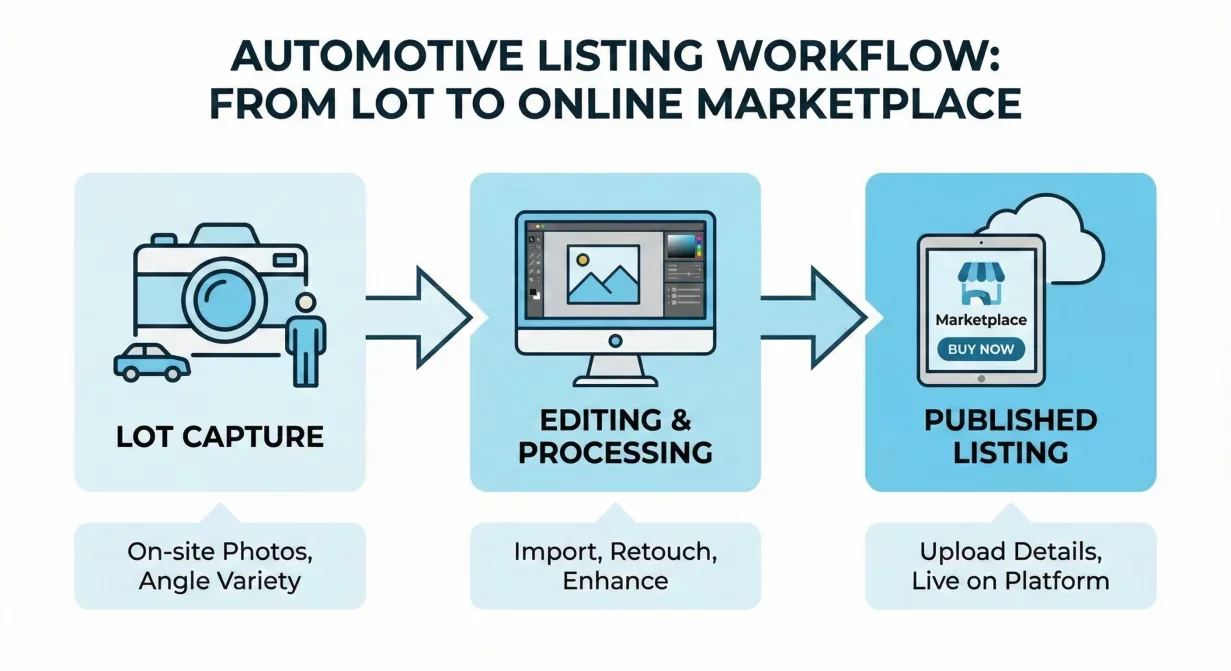
Car editing bottlenecks delay listings, frustrate staff, and cost sales. Every hour a vehicle sits unphotographed or unprocessed is an hour without marketplace visibility. This troubleshooting guide helps you identify where your workflow slows down and provides specific fixes for each common bottleneck.
Most dealers know their photo workflow feels slow but cannot pinpoint exactly where time disappears. Systematic analysis reveals the constraints that targeted improvements can address.
How to Identify Your Specific Bottlenecks
Before fixing bottlenecks, you must identify them. Use this diagnostic process to locate where your workflow actually slows.
Time Each Phase
Track time for ten vehicles across each workflow phase:
- Vehicle preparation (wash, staging)
- Photo capture
- File transfer to editing system
- Actual editing/processing time
- Quality review
- Export and format preparation
- Upload to listings/marketplaces
Calculate averages for each phase. The longest phases are your primary bottlenecks.
Track Queue Depths
Check each transition point for work waiting to proceed:
- Vehicles ready for photography but not yet captured
- Photos captured but not yet transferred
- Files transferred but not yet edited
- Edits complete but not yet reviewed
- Photos approved but not yet published
Large queues indicate upstream processes producing faster than downstream processes can consume. The step following the largest queue is constrained.
Identify Dependencies
Document what must happen before each step can proceed:
- What triggers photo capture? Vehicle arrival? Detail completion?
- Who can perform editing? One person? Anyone trained?
- What approvals are required before publishing?
Dependencies that require specific people or sequential approvals create single points of failure.
Common Bottleneck: Capture-to-Edit Gap
Photos sit for hours or days between capture and editing because no one owns the handoff.
Symptoms
- Photos captured in morning are not edited until next day or later
- Multiple days of captures accumulate before editing batch
- Vehicles occasionally sell before photos publish
Root Causes
Unclear ownership: The person who captures does not edit. The person who edits waits for notification that never comes.
Batch accumulation: Editing happens in large batches rather than flow. Vehicles wait for batch to fill.
Competing priorities: Editing competes with other tasks and gets postponed when busy.
Fixes
Same-day processing target: Establish rule that all captures must reach editing within four hours. Track compliance.
Clear handoff trigger: Define explicit handoff signal. Notification system, shared queue, or scheduled sync.
Reduce batch size: Process each vehicle immediately rather than accumulating batches. Flow beats batch for time-to-listing.
Common Bottleneck: Editing Skill Constraint
Only one person can perform editing. When they are busy or absent, work stops.
Symptoms
- Editing backlog grows when specific person is unavailable
- Quality varies dramatically based on who edits
- Staff cannot cover for each other during absences
Root Causes
Tool complexity: Editing requires skills not everyone possesses. Complex software limits who can participate.
Undocumented processes: Knowledge lives in one person's head rather than documented procedures.
Training neglect: Cross-training seems expensive until the key person is absent.
Fixes
Simplify tools: Switch to editing tools that minimize required skill. Template-based processing anyone can execute.
Document procedures: Create step-by-step guides with visual references. Anyone can follow documented procedures.
Cross-train deliberately: Train at least two additional people to minimum competency. Schedule training before crises force it.
Common Bottleneck: Manual Edit Time
Each photo requires significant hands-on time for acceptable results.
Symptoms
- Editing takes fifteen minutes or more per photo
- Complete vehicle sets require hours of processing
- Quality is good but throughput is limited
Root Causes
Inadequate tools: Manual editing software requires skill and time that automated tools eliminate.
Individual photo processing: Each photo processes separately rather than as batch with consistent treatment.
Over-editing: Perfectionism on each photo rather than consistent acceptable quality across inventory.
Fixes
Adopt batch processing: Process complete vehicle sets simultaneously with identical treatment. One template application, not twelve individual edits.
Use automated enhancement: AI-powered tools that handle background, lighting, and color automatically. Human judgment for review only.
Define acceptable quality: Establish clear standards. When photos meet standards, they are done. Do not optimize beyond requirement.
Common Bottleneck: Quality Review Logjams
Approval requirements create delays even when editing is fast.
Symptoms
- Edited photos wait for manager review before publishing
- Review happens in batches at end of day or week
- Reviewer changes create rework cycles
Root Causes
Centralized approval: One person must approve all photos regardless of who processed them.
Undefined standards: Without clear criteria, approval becomes subjective. Reviewers request changes based on preference rather than standards.
Batch review habit: Reviews accumulate into sessions rather than flowing with production.
Fixes
Self-verification against standards: Define clear, objective standards. Train editors to verify against standards themselves. Manager review becomes exception handling, not routine.
Flow-based review: Review each vehicle immediately after processing rather than accumulating review batches.
Pre-approved templates: Establish that photos meeting template standards need no additional approval. Template compliance equals approval.
Common Bottleneck: Export and Upload Friction
Getting photos from editing system to published listing takes too long.
Symptoms
- Manual resizing for different platforms
- Upload to multiple marketplaces requires separate sessions
- File naming and matching to vehicles creates errors
Root Causes
Manual formatting: Different platforms need different specifications. Manual adjustment for each destination.
No integration: Editing system and listing platforms do not connect. Manual upload required.
Inconsistent organization: File naming does not match inventory system. Manual matching required.
Fixes
Export presets: Configure preset exports for each platform. One click produces correctly formatted files for any destination.
Consistent naming: Establish file naming convention using stock number or VIN. Match inventory system automatically.
Explore integrations: Some tools integrate directly with marketplaces or inventory systems. Investigate available connections.
Measuring Improvement
After implementing fixes, measure whether bottlenecks actually resolved.
Time metrics: Track the same phase times you measured during diagnosis. Targeted improvements should show in phase time reductions.
Queue reduction: Queue depths at transition points should decrease as flow improves.
Total time-to-listing: The ultimate measure. Track time from vehicle arrival to published listing. Overall improvement validates that bottleneck fixes produced system benefit.
How CarBG Eliminates Common Bottlenecks
CarBG addresses several common bottlenecks through automated processing design. Batch processing with templates eliminates manual edit time per photo. Simple interface removes skill constraints. Export presets handle platform formatting automatically.
For dealers whose bottleneck is editing time or skill availability, CarBG often resolves both constraints simultaneously.
Final Thoughts
Car editing bottlenecks hide in plain sight, consuming time without obvious cause. Systematic diagnosis reveals where your workflow actually slows. Targeted fixes address root causes rather than symptoms. Measure results to confirm improvements. Every bottleneck eliminated accelerates your path from vehicle arrival to marketplace visibility. Try CarBG on your current workflow and see which bottlenecks disappear.
Frequently Asked Questions(FAQs)
How do I know which bottleneck to fix first?
Fix the constraint with the largest queue in front of it. Work accumulating before a step indicates that step limits system throughput. Improving anything else first just moves the pile without accelerating output.
What if my bottleneck is people not tools?
People constraints often trace to tool constraints. Complex tools require specialized skills and training. Simpler tools allow more people to participate. Before adding staff, evaluate whether better tools would eliminate the skill barrier.
How fast should car editing actually be?
With appropriate tools and workflow, processing a complete vehicle set should take ten to fifteen minutes including upload, batch processing, review, and export. Manual editing taking hours per vehicle indicates tool or process improvement opportunity.
Should I eliminate quality review to go faster?
No. Quality review catches errors before they reach buyers. Instead, streamline review through clear standards, self-verification, and flow-based processing. Never skip verification; optimize it.
What if my bottleneck is vehicle preparation?
Preparation bottlenecks usually indicate disconnection between detail/reconditioning and photography scheduling. Coordinate with detail department to flag vehicles ready for photography. Establish minimum cleanliness standards that balance thoroughness with throughput.
How often should I analyze workflow for bottlenecks?
Quarterly at minimum, and whenever you notice symptoms like growing queues or increasing time-to-listing. Bottlenecks shift as improvements resolve some constraints and reveal others. Continuous attention maintains continuous improvement.

Tamas Magda
Co-founder, Growth and Partnerships at Car Background AI
Tamas Magda is co-founder of Car Background AI (carbackground.ai, CarBG), an AI car photo editor that replaces backgrounds on dealership inventory photos. He leads partnerships, growth, and business architecture, working with the development team on the product roadmap and with dealers on what their online listings actually need. He brings a background in venture building across APAC and MENA, and writes about vehicle merchandising, dealer photo workflows, and using AI on listing images without altering the car itself.
Tamas is a co-founder of Car Background AI and has a financial interest in the company. Articles that mention Car Background AI reflect that relationship.