Car Photography Settings for Lot Conditions: Phone and Camera Setup Guide
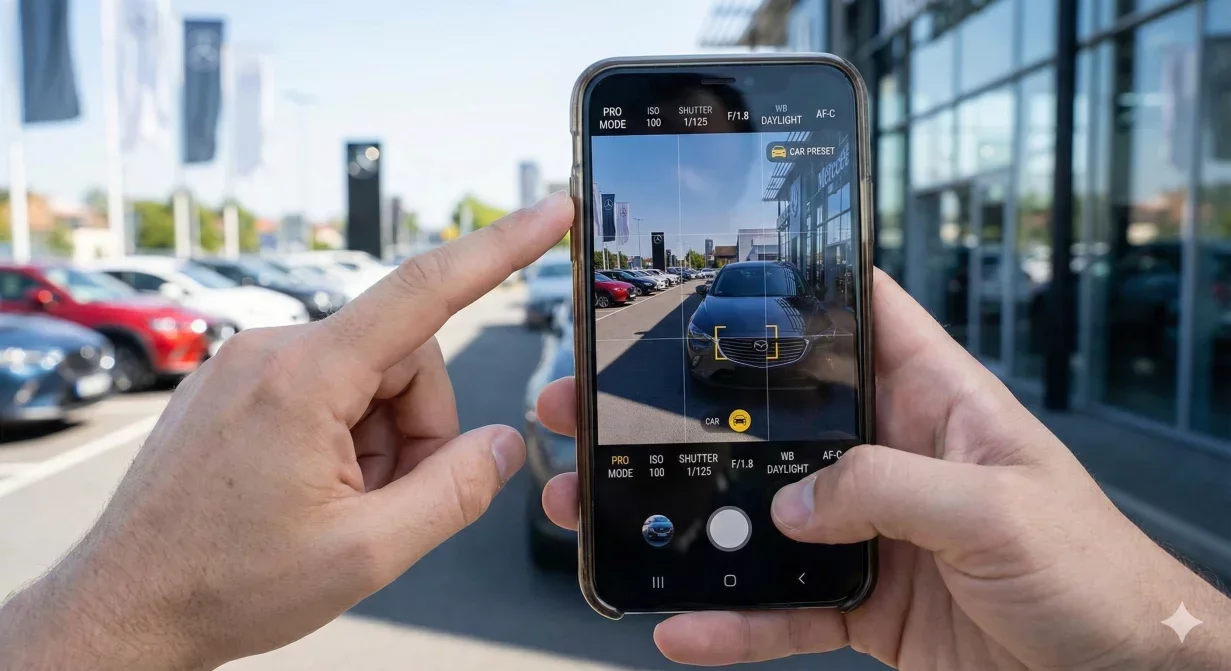
Correct car photography settings transform inconsistent lot captures into edit-ready source files. Whether you shoot with a smartphone or dedicated camera, these configurations address the specific challenges of dealership environments: mixed lighting, varying weather, reflective surfaces, and time pressure.
Configure your device using these settings before your next photography session. Consistent settings produce consistent results that process efficiently into professional listings.
At a glance
- Understanding lot photography challenges
- Smartphone settings for dealer photography
- DSLR and mirrorless camera settings
- Lens selection for cameras
- Special situation settings
- How Car Background AI enhances your captures
- Final thoughts
- Frequently asked questions
Understanding lot photography challenges
Dealership lot conditions create specific technical challenges that your settings must address.
- Lighting variability: Outdoor light changes throughout the day and with weather. Morning sun differs from afternoon sun differs from overcast conditions. Your settings must produce usable results across this range.
- Mixed exposures: Bright exteriors combined with dark interiors challenge any camera's dynamic range. Settings that work for one may fail for the other.
- Reflective surfaces: Paint, glass, and chrome reflect surroundings. Settings affect how prominently reflections appear.
- Time constraints: Lot photography happens fast. Settings that require constant adjustment slow production unacceptably.
Smartphone settings for dealer photography
Modern smartphones capture excellent vehicle photos when configured correctly. These settings apply to both iPhone and Android devices with minor interface variations.
Resolution and format
- Maximum resolution: Always capture at your phone's highest available resolution. More pixels mean more flexibility for cropping and more detail for buyers to inspect. Never reduce resolution to save storage; storage is cheap and detail is valuable.
- File format: Standard JPEG works for most dealer workflows. RAW/ProRAW provides more editing latitude but requires more processing expertise and storage. Unless you have specific RAW workflow needs, JPEG suffices.
- Aspect ratio: Capture at 4:3 (standard) rather than 16:9 (widescreen). The wider format crops significant vertical information from vehicle photos. Processing can always crop wider from 4:3 captures.
Exposure controls
- AE Lock (Auto-Exposure Lock): Tap and hold on the vehicle body to lock exposure before capturing. This prevents the camera from adjusting exposure based on background brightness changes as you move around the vehicle. Lock on the car, not the sky or ground.
- Exposure compensation: In bright conditions, reduce exposure by -0.3 to -0.5 stops to prevent highlight blowout on white or light-colored vehicles. In overcast conditions, increase by +0.3 to +0.5 for dark vehicles.
- Avoid full auto: Fully automatic exposure creates variation across your shot sequence. Lock exposure for exterior sequences and readjust when moving to interior captures.
Focus settings
- Tap to focus: Always tap on the vehicle to set focus rather than relying on automatic focus. Focus on the area that matters most for each shot, typically front body panels for hero shots.
- AF Lock: Lock focus after setting it to prevent the camera from refocusing as you compose. Combined with AE Lock, this creates consistent capture conditions.
- Verify sharpness: Check focus after capture by zooming into the preview. Refocus and recapture if soft. No setting substitutes for verification.
Features to disable
- HDR Auto: Disable automatic HDR for standard inventory. HDR creates inconsistent results across varying conditions and can produce unnatural-looking images. Enable manually only for extreme contrast situations like dark interiors with bright windows.
- Night Mode: Disable night mode and low-light enhancement features. These introduce processing that interferes with subsequent editing. If light is insufficient, add light or wait rather than using computational correction.
- Scene Detection: Disable smart scene detection that automatically adjusts settings based on detected subject. Automatic optimization creates variation; manual consistency serves dealer photography better.
- Live Photos / Motion: Disable motion capture features that increase file sizes without adding dealer value.
Camera app choice
Stock camera apps work for basic use. Third-party apps like ProCamera, Halide (iOS), or Camera FV-5 (Android) offer more manual control when needed. Whatever app you choose, learn its controls thoroughly before production use.
DSLR and mirrorless camera settings
Dedicated cameras offer more control than smartphones. These settings optimize results for lot conditions.
Shooting mode
- Aperture Priority (A or Av): Set aperture and let camera determine shutter speed. This mode provides depth of field control while adapting to changing light.
- Aperture selection: f/8 provides sharp results with adequate depth of field for most vehicle photography. Wider apertures blur backgrounds but may not keep entire vehicle sharp. Narrower apertures require slower shutter speeds or higher ISO.
ISO settings
- Base ISO when possible: Use your camera's native ISO (typically 100 or 200) in good light for maximum image quality.
- Auto ISO with limits: Set auto ISO with maximum cap around 1600-3200 depending on camera. This prevents excessive noise in low light while maintaining flexibility.
- Avoid extremes: Very high ISO introduces noise that processing cannot fully remove. Very low ISO in shade may require tripod-slow shutter speeds.
White balance
- Daylight preset: Use daylight/sun white balance for outdoor lot photography. Auto white balance varies between captures; preset maintains consistency.
- Cloudy/overcast: Switch to cloudy preset on overcast days for warmer, more natural-looking results.
- Consistency over perfection: Consistent white balance processes better than perfect white balance that varies. Minor color casts are correctable; inconsistent casts across a set are problematic.
Focus mode
- Single-shot AF (AF-S): Use single-shot autofocus that locks when you half-press the shutter. Continuous AF modes may refocus before capture.
- Single point selection: Use single-point AF and position it on the vehicle body. Zone or multi-point AF may focus on background elements.
- Back-button focus: Consider configuring back-button focus to separate focus from shutter release. This allows locking focus once and capturing multiple frames without refocusing.
File format
- RAW for maximum flexibility: RAW files preserve more information for editing than JPEG. If you have RAW processing capability, capture RAW for best results.
- RAW+JPEG: Capture both simultaneously for workflow flexibility. JPEG for immediate use; RAW for when maximum editing is needed.
- Fine JPEG minimum: If shooting JPEG only, use highest quality setting available. Compression artifacts are visible in automotive details.
Lens selection for cameras
- Standard zoom (24-70mm or equivalent): Most versatile choice for dealer photography. Wide enough for full-vehicle shots, long enough for details without distortion.
- Avoid ultra-wide: Lenses wider than 24mm create perspective distortion that makes vehicles look unnatural. Useful for interior tight spaces but problematic for exteriors.
- Avoid long telephoto: Very long lenses flatten perspective in ways that misrepresent vehicle proportions.
Special situation settings
Interior photography
Interiors present different challenges than exteriors. Adjust settings when transitioning between them.
- Increase ISO: Interior light levels are lower. Accept higher ISO for adequate shutter speed rather than underexposing or introducing motion blur.
- Readjust exposure lock: Interior surfaces require different exposure than exterior. Relock exposure on dashboard or seat surfaces.
- Consider HDR: Interior shots with bright windows are the one situation where HDR may help, balancing interior darkness with window brightness.
Black and dark vehicles
- Slight overexposure: Auto exposure tends to underexpose dark vehicles. Add +0.3 to +0.7 exposure compensation to reveal detail in dark paint.
- Watch for clipped highlights: Overexposure that helps dark paint may clip bright reflections. Balance exposure to retain detail in both.
White and light vehicles
- Slight underexposure: Auto exposure overexposes white vehicles. Subtract -0.3 to -0.7 exposure compensation to retain detail in light paint.
- Verify histogram: Check that highlights are not clipped. White vehicles with blown highlights lose detail that processing cannot recover.
How Car Background AI enhances your captures
Photos captured with these settings process more efficiently through Car Background AI's automated enhancement. Consistent source quality produces consistent output quality. The platform's lighting optimization addresses remaining variability while your good settings minimize what needs correction.
Final thoughts
Correct car photography settings transform your capture device into a reliable production tool. Configure once, verify settings before each session, and capture with confidence that results will process efficiently into professional listings. Settings cannot substitute for good technique, but good settings support good technique. Process your well-configured captures through Car Background AI to see how quality source photos enhance automated processing results.
Frequently asked questions
What is the most important camera setting for car photography?
Exposure lock. Locking exposure on the vehicle body prevents the camera from adjusting based on background brightness changes. This produces consistent exposure across your shot sequence, which processes more efficiently than varied exposures requiring individual correction.
Should I use HDR for car photos?
Generally no. HDR creates inconsistent results and can produce unnatural-looking images. Disable automatic HDR. Consider HDR only for specific challenging situations like interior shots with bright windows where extreme contrast exists.
What resolution should I capture at?
Always maximum available. Higher resolution provides more cropping flexibility and more detail for buyer inspection. Storage is cheap; detail is valuable. Never reduce resolution to save space.
Is a DSLR necessary or can smartphones work?
Modern smartphones produce excellent results when configured correctly. DSLRs offer more control and marginally better quality but are not necessary for professional marketplace listings. Consistent technique with any device matters more than equipment cost.
How do I handle mixed lighting on the lot?
Lock exposure on the vehicle rather than relying on auto exposure. Use consistent white balance presets rather than auto. Accept that some variation is inevitable outdoors and rely on processing to standardize outputs.
What about RAW versus JPEG?
RAW provides more editing flexibility but requires more processing expertise and storage. JPEG works well for most dealer workflows, especially when processing through automated tools designed for JPEG input. Choose based on your workflow capabilities.

Tamas Magda
Co-founder, Growth and Partnerships at Car Background AI
Tamas Magda is co-founder of Car Background AI (carbackground.ai, CarBG), an AI car photo editor that replaces backgrounds on dealership inventory photos. He leads partnerships, growth, and business architecture, working with the development team on the product roadmap and with dealers on what their online listings actually need. He brings a background in venture building across APAC and MENA, and writes about vehicle merchandising, dealer photo workflows, and using AI on listing images without altering the car itself.
Tamas is a co-founder of Car Background AI and has a financial interest in the company. Articles that mention Car Background AI reflect that relationship.