How to Build a Fast Car Photo Workflow for High-Volume Dealerships
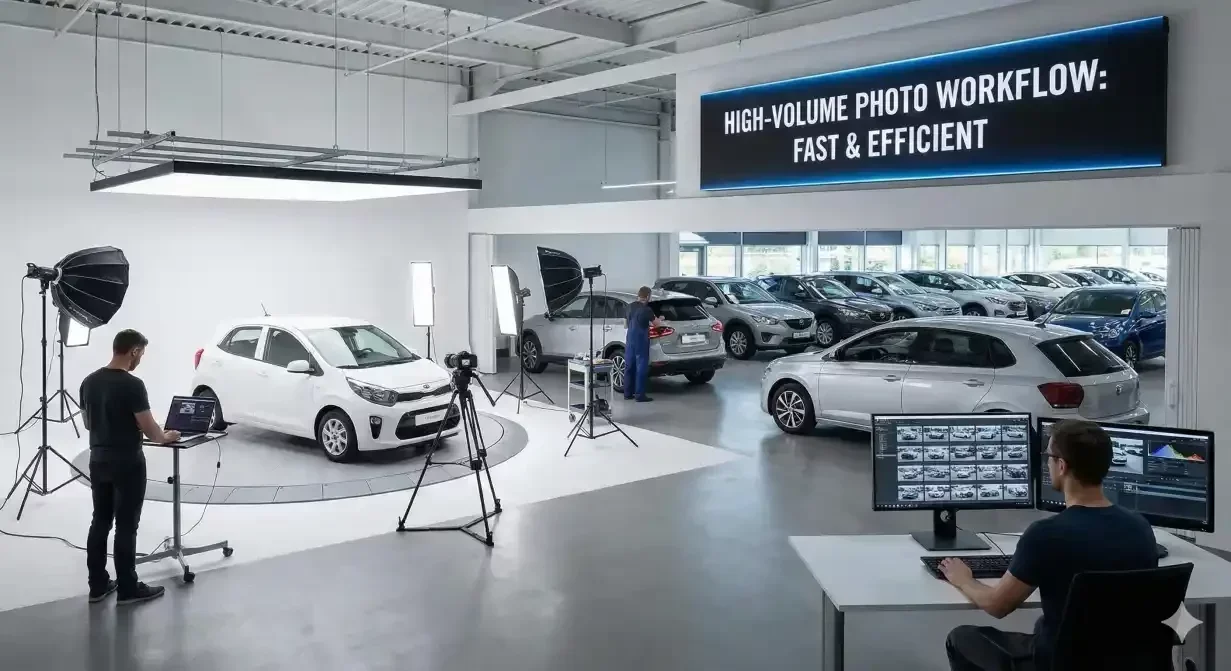
Monday morning, 11 AM. Six trade-ins from the weekend sit in the holding area. Four auction purchases arrived on the transport truck. Two consignments need photos updated with new pricing. That's twelve vehicles requiring photography before they can go live online.
Your photographer is scheduled for Thursday.
By the time those vehicles get photographed, edited, and listed, it'll be next Monday—a full week of sitting invisible to online shoppers. A full week of carrying inventory cost with zero exposure. A full week of watching competitors list similar vehicles that capture the buyers who might have chosen yours.
In high-volume operations, photography bottlenecks kill momentum.
When you're moving 40, 60, 80+ vehicles monthly, your photo workflow can't be a limiting factor. It needs to be a fast, repeatable system that keeps pace with inventory turnover—processing vehicles as quickly as reconditioning completes them.
The good news: building a fast, scalable car photo workflow is more achievable than ever, thanks to AI car photo editors, smartphone photography, and batch processing automation that eliminates the manual editing bottleneck.
The High-Volume Photography Challenge
Low-volume dealers can afford flexible, ad-hoc photography approaches. Shoot when weather's nice. Wait for the right lighting. Take time editing each vehicle individually. Process five vehicles this week, three next week, whatever arrives.
High-volume operations can't work that way.
When vehicles flow continuously through your reconditioning process, photography must match that cadence or become a chokepoint that delays everything downstream:
The timing problem: Cars finish reconditioning on different days, different times. Waiting to accumulate a batch for the photographer means early finishers sit waiting. Scheduling individual sessions for each vehicle is logistically impossible.
The consistency problem: Multiple staff members photographing vehicles in different locations, different conditions, different times of day creates wildly inconsistent image quality. Your inventory grid looks chaotic and unprofessional.
The editing bottleneck: Even if you capture photos quickly, manual editing creates a secondary backup. One person editing 15-20 photos per vehicle, times 40 vehicles monthly, equals 600-800 images requiring individual attention. That's a full-time job just for photo editing.
The quality-speed tradeoff: Rush the process and quality suffers—poor backgrounds, inconsistent lighting, incomplete coverage. Prioritize quality and speed suffers—vehicles sit unlisted while you perfect every image.
These aren't minor operational inconveniences. Photography delays directly impact revenue. Every day a vehicle sits unlisted is a day of zero buyer exposure, accumulating holding costs, and market depreciation.
The Fast Workflow Framework
High-volume dealerships that consistently list vehicles within 24-48 hours of reconditioning completion follow a similar framework built on four core principles:
1. Standardization eliminates decision-making
Fast workflows don't require staff to make judgment calls about what to photograph or how to shoot it. They follow checklists:
- Front 3/4 angle
- Rear 3/4 angle
- Driver side profile
- Passenger side profile
- Straight-on front
- Straight-on rear
- Dashboard/front interior
- Front seats
- Rear seats
- Cargo area
- Engine bay
- Odometer
- Any damage or wear areas
Same angles, same sequence, every vehicle, every time. No creative decisions, no variation, no uncertainty. This consistency enables speed and makes AI processing more effective.
2. Equipment simplicity accelerates execution
Professional cameras with complex settings slow things down. Smartphones eliminate setup time, transfer hassles, and technical expertise requirements.
Modern smartphones produce sufficient image quality for online listings, especially when AI enhancement compensates for lighting and background limitations. The goal is capturing clear, well-framed shots quickly—not creating magazine-quality art.
3. AI handles post-processing, not humans
Manual editing is the primary bottleneck in traditional workflows. AI car photo editors eliminate it:
- Background removal happens automatically in seconds
- Lighting correction applies consistently across entire photo sets
- Batch processing handles 20-40 images simultaneously
- Standard templates ensure consistent output without individual adjustment
Instead of one person spending 15 minutes editing photos from one vehicle, they spend 3 minutes uploading, selecting templates, and initiating batch processing for five vehicles. The AI does the actual work.
4. Batching minimizes context-switching overhead
Processing one vehicle at a time means constantly starting and stopping—different vehicle, different upload, different review, different export. Each transition carries cognitive overhead and time cost.
Batching eliminates this: photograph five vehicles consecutively, upload all photos at once, apply processing to all sets simultaneously, review and export everything together. You maintain focus and workflow momentum instead of fragmenting attention.
Building Your High-Volume Workflow: Step-by-Step
Phase 1: Capture System Design
Assign photography responsibility clearly: Don't leave it vague ("someone should photograph vehicles"). Assign specific roles: "Lot attendant photographs all vehicles completing detail between 9-11 AM and 2-4 PM daily."
Clear ownership prevents vehicles slipping through gaps and ensures consistent execution.
Create the shot list checklist: Print laminated cards or create a mobile app checklist showing exactly which angles to capture. Include reference photos demonstrating proper framing for each angle.
New staff can execute the photography protocol correctly on day one, maintaining consistency across your team.
Establish quality minimums, not maximums: Define what's "good enough"—in-focus, properly framed, shows relevant details. Don't pursue perfection. Good-enough photos processed quickly beat perfect photos that take days to complete.
Schedule photography windows: Rather than "photograph vehicles whenever they're ready," establish set times: 9-11 AM and 2-4 PM daily. Vehicles completing detail during those windows get photographed immediately. This creates rhythm and predictability.
Phase 2: Processing System Setup
Choose your AI platform and templates: Select an AI car photo editor (like CarBG) and configure your standard background templates. Most high-volume dealers use 1-2 templates maximum—consistency matters more than variety.
Test processing with sample vehicles to ensure output quality meets your standards and workflow integrates smoothly.
Establish batch processing times: Rather than processing each vehicle individually as photos arrive, batch them: "All photos captured during morning session get uploaded and processed at 11:30 AM. Afternoon session processes at 4:30 PM."
This batching approach is dramatically more efficient than continuous, fragmented processing.
Define review and export protocols: After AI processing, who reviews images for quality? What's the approval threshold? How do approved images get exported and distributed to your inventory management system?
Document this clearly so the workflow doesn't stall waiting for someone to "check" images.
Phase 3: Integration and Automation
Connect to inventory management: Photos should flow directly from your AI editor to your inventory system, which then distributes to Cars.com, AutoTrader, your website, and other channels automatically.
Manual uploading to multiple platforms creates unnecessary work and delays. Automate distribution wherever possible.
Track time-to-listing metrics: Measure days from reconditioning completion to online listing going live. This metric reveals bottlenecks and provides accountability.
High-performing dealers consistently hit 24-48 hour time-to-listing. If you're seeing 5-7 days, photography workflow is likely the problem.
Build feedback loops: Weekly reviews of listing quality, time metrics, and any issues that slowed the process. Continuous refinement improves workflow efficiency over time.
The Daily Rhythm of Fast Workflows
Here's what the daily photography workflow looks like at high-volume dealers who've optimized the process:
9:00 AM - Morning Photography Session
- Lot attendant photographs all vehicles that completed detail previous day or early morning
- Follows standard shot list for each vehicle (12-15 photos per vehicle)
- Typical morning session: 3-5 vehicles, 45-75 total photos, completed in 45-60 minutes
11:00 AM - Morning Batch Processing
- Upload all morning photos to AI editor
- Apply standard background template to all sets
- Initiate batch processing (AI handles 45-75 images in 5-10 minutes)
- Quick quality review of processed images
- Export to inventory management system
- Total processing time: 20-30 minutes for entire morning batch
2:00 PM - Afternoon Photography Session
- Second photography window for vehicles completing detail mid-day
- Same process as morning session
- 2-4 vehicles typically
4:00 PM - Afternoon Batch Processing
- Same batch processing workflow as morning
- All afternoon vehicles processed and exported by 4:30 PM
Result: Every vehicle completing detail gets photographed same day and listed online within 24 hours.
Compare this to traditional workflows where vehicles wait 3-7 days for photography appointments, then another 2-3 days for editing and listing—your competitive advantage is measured in weeks of additional market exposure.
Scaling Beyond Basic Volume
For dealerships pushing 100+ vehicles monthly, additional workflow optimizations become necessary:
Multiple photography stations: Rather than one location and one photographer creating bottlenecks, establish 2-3 photography spots and train multiple staff members. This distributes workload and eliminates single-point-of-failure risks.
Photography specialists vs. distributed responsibility: Some high-volume dealers assign dedicated photography staff. Others distribute responsibility across lot attendants and detail team. Test both approaches—the right answer depends on your specific operation and staff capabilities.
Quality control sampling: At extreme volumes, reviewing every single processed image becomes time-prohibitive. Implement sampling: review 100% for the first month, then 20-30% sampling once consistency is established. Flag and address any quality issues immediately.
Automated upload integration: Rather than manually uploading photos from phones, investigate direct upload solutions—photos automatically transfer to cloud storage or AI platform as they're captured, eliminating the upload step entirely.
Common Workflow Killers and Solutions
Problem: Photos sitting unprocessed
Symptoms: Images captured but not edited for days, creating backlogs
Solution: Implement mandatory batch processing times. Photos not processed same day get flagged. Track this metric weekly and address compliance issues.
Problem: Inconsistent coverage
Symptoms: Some vehicles have 15 photos, others have 6; key angles missing
Solution: Enforce shot list compliance. Periodic random audits of uploaded photos. Coach staff who consistently skip angles or rush through inadequate coverage.
Problem: Quality variability
Symptoms: Some vehicles look professional, others look amateur; lighting all over the place
Solution: This is exactly what AI photo editors solve. Inconsistent input quality gets normalized through automated processing, producing consistent output.
Problem: Weather delays
Symptoms: Photography stops when it rains; backlog accumulates during bad weather stretches
Solution: Shoot in covered areas (detail bays, covered lot sections) where weather doesn't matter. AI background removal means the shooting location is irrelevant—you're replacing backgrounds anyway.
Problem: Staff turnover disrupts workflow
Symptoms: When key photography person leaves, the system breaks down
Solution: Document everything. Simple checklists and standard protocols mean new staff can execute photography workflow with minimal training. The system should be staff-proof, not dependent on specific individuals.
The Economics of Fast Workflows
The math behind photography speed is straightforward but often overlooked. Every vehicle carries daily holding costs—floor plan interest, insurance, lot space, and depreciation that never stops ticking. A vehicle sitting unlisted for seven days instead of one accumulates six extra days of carrying costs while generating zero buyer exposure. Multiply that across 50 or 60 vehicles monthly, and you're looking at thousands in unnecessary expense before a single shopper sees your inventory.
But the real cost isn't just financial—it's competitive. While your weekend trade-ins wait for Thursday's photographer, your competitors are listing similar vehicles that capture the buyers who might have chosen yours. In markets where shoppers browse multiple dealer sites simultaneously, the listing that appears first often wins the inquiry. Speed to market isn't just operational efficiency; it's a form of inventory merchandising that puts your vehicles in front of buyers before alternatives crowd them out.
The dealerships winning this race aren't working harder—they're working differently. Standardized shot lists, smartphone capture, AI-powered batch processing, and same-day listing protocols transform photography from a weekly bottleneck into a daily rhythm. The investment in workflow optimization pays for itself quickly: faster turns, lower carrying costs, and first-mover advantage on every vehicle that rolls through your lot.
Frequently asked questions
What makes a car photo workflow fast for high-volume dealers?
A fast workflow relies on a repeatable capture routine and automated editing so each vehicle moves through the same steps quickly. Standardizing angles and applying consistent backgrounds removes guesswork. The gain comes from doing the same predictable process for every car.
How can a dealership photograph many vehicles without a studio?
By pairing consistent on-lot capture with AI background replacement, dealers can get uniform results without building a studio. This keeps the setup practical even when many cars arrive at once. CarBG applies the same treatment across a full batch of images.
What are common workflow bottlenecks for high-volume photography?
Typical slowdowns include inconsistent capture, editing images one at a time, and unclear file organization that causes mix-ups. Addressing these with a standard routine and batch processing keeps volume moving. Reviewing before publishing avoids rework later.

Tamas Magda
Co-founder, Growth and Partnerships at Car Background AI
Tamas Magda is co-founder of Car Background AI (carbackground.ai, CarBG), an AI car photo editor that replaces backgrounds on dealership inventory photos. He leads partnerships, growth, and business architecture, working with the development team on the product roadmap and with dealers on what their online listings actually need. He brings a background in venture building across APAC and MENA, and writes about vehicle merchandising, dealer photo workflows, and using AI on listing images without altering the car itself.
Tamas is a co-founder of Car Background AI and has a financial interest in the company. Articles that mention Car Background AI reflect that relationship.