왜 전문 자동차 사진이 마켓플레이스에서 잘리는지, 그리고 해결 방법은?
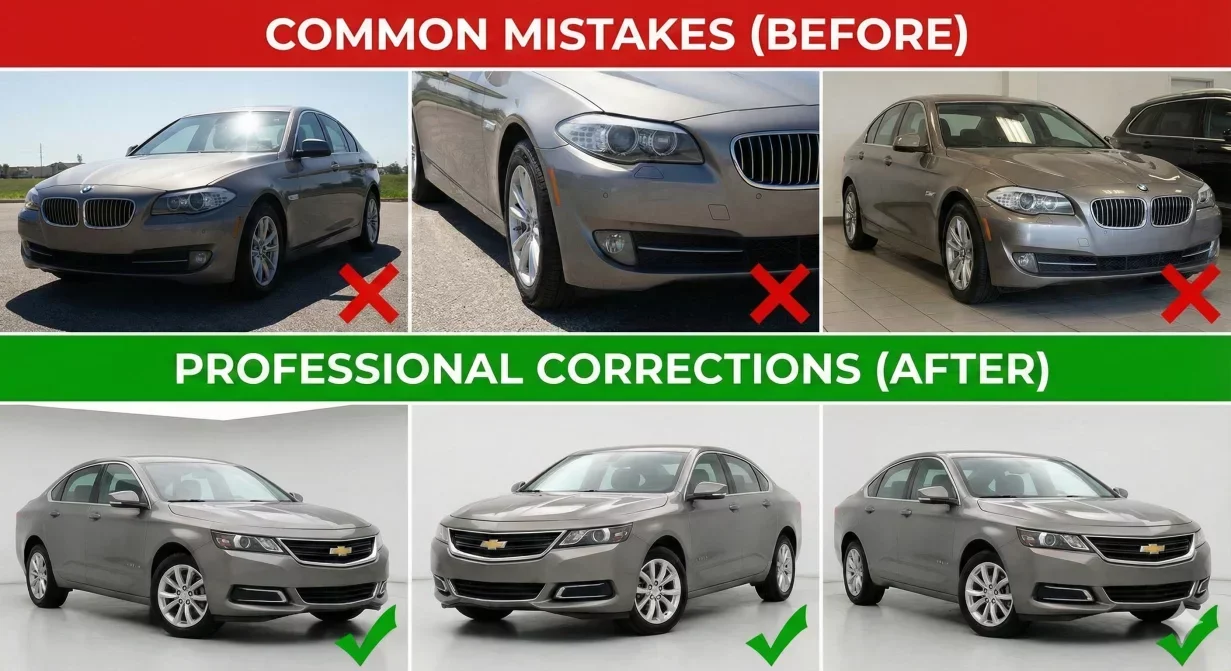
Professional Car background photos get cropped on marketplaces when aspect ratios and framing do not account for platform display requirements. The bumper you carefully included gets cut off in thumbnails. The badge that identifies the trim level disappears in search results. This guide explains why cropping happens and how to prevent it through proper capture and export practices.
Understanding safe zones ensures your vehicles display completely across every platform, from search thumbnails to full-size gallery views.
Why marketplaces crop your photos
Marketplace platforms display photos at various sizes and aspect ratios depending on context. The same photo appears differently in search results, listing pages, mobile views, and gallery thumbnails. Each display context may crop differently.
Aspect ratio mismatch
When your photo aspect ratio differs from the display area, platforms crop to fit. A 16:9 photo displayed in a 4:3 space loses the sides. A 4:3 photo displayed in a 16:9 space loses top and bottom. Platforms typically crop from edges toward center. Content at frame edges is most vulnerable to being cut off.
Thumbnail generation
Search result thumbnails often use different aspect ratios than full gallery views. A photo that displays completely in the gallery may crop significantly in search thumbnails. Since thumbnails drive click decisions, this cropping directly affects performance.
Understanding safe zones
The safe zone is the center area of your frame that survives cropping across all display contexts. Keep critical content within this zone to ensure it always displays.
The 80 percent rule
Keep the complete vehicle within the center 80 percent of your frame. The outer 10 percent on each edge is the danger zone where content may crop depending on platform and display context. This means buffer space around the vehicle. Side mirrors should not extend to frame edges.
Critical element protection
Identify what must never crop: complete vehicle outline, badges, license plate area, wheels touching ground. These elements should fall well within the safe zone, not just barely inside it.
Platform-specific safe zones
- Cars.com: Cars.com displays search thumbnails at approximately 4:3 aspect ratio. Keep vehicles within 78-80 percent of frame center. Side mirrors are the most common cropping casualty.
- CarGurus: CarGurus uses smaller thumbnails in dense search displays. Use a more conservative safe zone of 75 percent.
- Facebook Marketplace: Facebook feed thumbnails crop aggressively to 1.91:1 aspect ratio. For hero shots, keep vehicles within 75 percent center area.
Capture strategies for safe zone compliance
Frame wider than needed
Capture with extra space around the vehicle. You can always crop in during processing, but you cannot recover content that was not captured.
Consistent positioning
Use consistent vehicle positioning for each shot type. Mark positions on your lot if helpful. Consistency makes safe zone compliance automatic.
How Car Background AI addresses cropping
Car Background AI processing includes automatic centering and framing that positions vehicles optimally within safe zones. Export presets include aspect ratio configurations matched to each platform.
Final thoughts
Professional car photos get cropped when framing does not account for platform display requirements. Keep vehicles within the center 75-80 percent of frame, export at platform-appropriate aspect ratios, and verify display through test uploads. Process photos through Car Background AI for automatic safe zone compliance.
Frequently asked questions
What is a safe zone in car photography?
The safe zone is the center area of your frame that survives cropping across all platform display contexts. Typically the center 75-80 percent.
Why does the same photo crop differently on different platforms?
Platforms use different aspect ratios and thumbnail sizes for display. Each platform context may crop differently.
Which parts of the vehicle crop most often?
Side mirrors extending to frame edges are the most common casualties. Bumpers close to frame edges also crop frequently.
Can I fix cropping problems after photos are taken?
Only if you captured with buffer space. Always capture wider than needed.
Do safe zones apply to interior photos?
Less critically. Interior photos typically display in gallery contexts with more consistent cropping.
How do I test if my photos will crop correctly?
Upload test images to each platform you use. View them in search thumbnails, listing pages, and mobile views.

Tamas Magda
Car Background AI 공동 창업자, 성장 및 파트너십 총괄
Tamas Magda는 딜러 재고 차량 사진의 배경을 교체하는 AI 자동차 사진 편집 도구인 Car Background AI(carbackground.ai, CarBG)의 공동 창업자입니다. 파트너십, 성장, 비즈니스 아키텍처를 총괄하며, 개발팀과 함께 제품 로드맵을 만들고 딜러들과는 온라인 매물에 실제로 필요한 것이 무엇인지 논의합니다. APAC과 MENA 지역에서 벤처 빌딩 경험을 쌓았으며, 차량 머천다이징, 딜러 사진 워크플로, 그리고 차량 자체를 변형하지 않고 매물 이미지에 AI를 활용하는 방법에 대해 글을 씁니다.
Tamas는 Car Background AI의 공동 창업자로서 회사에 재무적 이해관계가 있습니다. Car Background AI를 언급하는 글에는 이러한 관계가 반영되어 있습니다.