Best Camera Settings for Car Photography on Dealership Lots
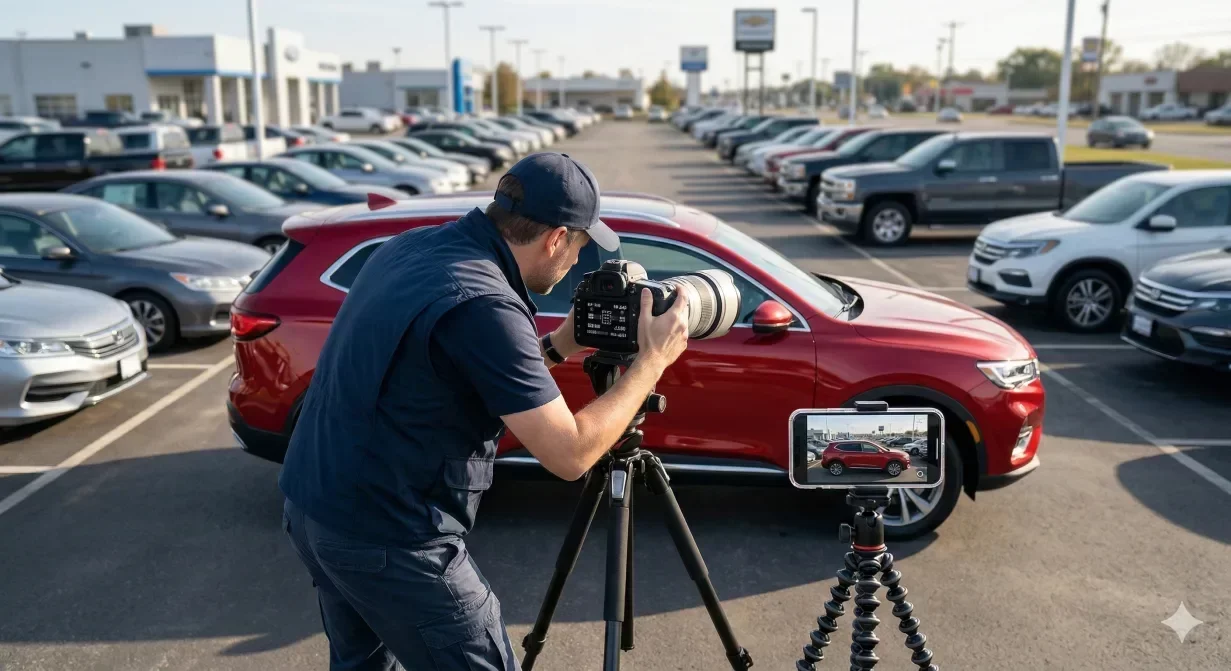
The core camera settings for car photography are a mid aperture around f/8 for front-to-back sharpness, a shutter speed fast enough to avoid blur (1/125 second or faster handheld), and the lowest ISO the light allows. On a dealership lot, set these manually and lock white balance so every vehicle in a listing looks consistent instead of shifting color between shots.
Getting the best camera settings for car photography right on a dealership lot is the difference between a one-pass shoot and hours of rework. Studio photographers can control every variable. Lot photographers cannot. You are working with whatever the sky gives you, whatever the pavement reflects, and whatever the clock allows before the next vehicle needs to be listed.
This guide covers exact settings for both phones and dedicated cameras, organized by the conditions you actually face on dealer lots. Each section includes a copy-paste reference your team can print and tape to the dashboard. For the post-capture side, tools like Car Background AI's AI car photo editor can fix lighting and background issues, but no AI can recover a blurry or badly exposed original.
At a glance
- Why camera settings matter more on lots than in studios
- Phone settings for car photography: iPhone and Android
- Best camera settings for car photography with DSLR and mirrorless
- Handling difficult lot conditions
- Interior photography settings
- Quick-reference settings table for lot teams
- What AI post-processing can fix and what it cannot
- Final thoughts
- Frequently asked questions
Why camera settings matter more on lots than in studios
In a studio, lighting is fixed. Exposure, white balance, and color temperature stay constant from shot to shot. On a lot, conditions shift throughout the day. Morning overcast gives soft, even light. Midday sun creates harsh shadows under bumpers and wheel wells. Late afternoon brings warm color casts and long shadows that distort vehicle proportions.
When multiple staff members shoot with default auto settings, each phone or camera makes different decisions about exposure and white balance. The result is an inventory grid where every vehicle looks like it was photographed in a different universe. Standardizing settings eliminates this drift at the source, before any editing begins.
Phone settings for car photography: iPhone and Android
Modern smartphones produce excellent images for marketplace listings when configured properly. The key is to disable the features that introduce inconsistency.
iPhone settings
Open the Camera app, then go to Settings > Camera. Configure the app as follows before you start shooting.
- HDR and styles: turn off Smart HDR or Photographic Styles if you want neutral, unprocessed output.
- Grid: enable the grid overlay for alignment.
- Format: set the format to "Most Compatible" (JPEG) for fastest upload compatibility, or HEIF if your pipeline handles it.
For shooting, tap and hold on the vehicle body to lock focus and exposure (AE/AF Lock appears at the top). This prevents the camera from re-metering between shots. Drag the sun icon down slightly to underexpose by about half a stop – this preserves detail in bright paint and chrome that auto-exposure tends to blow out.
Android settings
Most Android flagships (Samsung Galaxy, Google Pixel) have a Pro or Manual mode in the camera app. Enable it, then set the following.
- ISO: set to the lowest available value (typically 50 or 100) for outdoor shooting.
- White balance: set to "Daylight" or "Cloudy" depending on conditions rather than leaving it on Auto, which shifts between shots.
- Scene detection: turn off scene detection and AI enhancements, as these apply inconsistent processing per image.
Settings both platforms share
- Lens: shoot at the widest lens (1x). Avoid ultrawide lenses, which distort vehicle proportions.
- Zoom: avoid digital zoom, which degrades resolution.
- Orientation: hold the phone horizontally (landscape orientation) for every shot.
Keep the camera at vehicle belt-line height – our car photography angles guide covers the full 12-shot framing template. Position the camera at – roughly waist level – not chest or eye height, which creates unflattering downward angles that make the car look smaller.
Best camera settings for car photography with DSLR and mirrorless
If your dealership uses a dedicated camera, these baseline settings cover most lot conditions. Start here and adjust as needed.
Setting | Sunny | Overcast | Shade / covered lot |
|---|---|---|---|
Aperture | f/8 | f/5.6 – f/8 | f/5.6 |
Shutter speed | 1/250 – 1/500 | 1/125 – 1/250 | 1/60 – 1/125 |
ISO | 100 | 200 – 400 | 400 – 800 |
White balance | Daylight (5200K) | Cloudy (6000K) | Shade (7000K) |
Focus mode | Single-point AF | Single-point AF | Single-point AF |
Metering | Evaluative / matrix | Evaluative / matrix | Evaluative / matrix |
File format | JPEG Fine (or RAW if editing manually) | JPEG Fine | JPEG Fine |
Aperture of f/8 is the sweet spot for car photography settings. It keeps the entire vehicle in sharp focus without diffraction softening. Wider apertures (f/2.8 – f/4) blur the background attractively but can leave the rear of the car soft, which looks like a focus error on a marketplace listing. Narrower apertures (f/11+) introduce diffraction and serve no purpose on a lot where background blur is irrelevant.
Handling difficult lot conditions
Midday harsh sun
The biggest car photography challenge on lots is midday sun creating deep shadows under bumpers, in wheel wells, and along the side panels. Reduce contrast by positioning the vehicle so the sun is behind you and slightly to one side (the "Rembrandt" angle). If the vehicle cannot be moved, expose for the shadow areas and accept slight highlight clipping – AI post-processing can recover overexposed areas more easily than it can lift crushed shadows.
Overcast and flat light
Overcast days are ideal for lot photography. The diffused light eliminates harsh shadows and produces even exposure across the entire vehicle. The only adjustment needed is a slight bump in exposure compensation (+0.3 to +0.7 EV) to prevent the gray sky from fooling the meter into underexposing the car.
Rain and wet conditions
Wet pavement creates reflections that can actually enhance photos – but only if you manage them intentionally. Protect the camera with a rain sleeve or plastic bag with a hole for the lens. Shoot from a slightly lower angle to capture the glossy pavement reflection. Increase ISO by one stop to compensate for darker conditions. Avoid shooting directly into puddles that mirror cluttered backgrounds.
Mixed lighting on covered lots
Covered lots and indoor showrooms often combine fluorescent overhead lighting with daylight from open sides. This creates mixed color temperatures that make white cars look green or yellow. Set white balance manually by photographing a white or gray card under the mixed light and using custom white balance. If your phone does not support custom white balance, use the "Fluorescent" preset as a starting point.
Interior photography settings
Car interiors are the most technically challenging part of dealership photography. The cabin is dark relative to exterior daylight, creating extreme contrast when windows are visible. Reflections on the dashboard, steering wheel, and infotainment screen add further complications.
On a phone, open the driver door fully and shoot from the B-pillar position, angled slightly inward. Tap to focus on the center console and lock exposure. The open door allows ambient light to fill the cabin more evenly than shooting through a window.
On a DSLR or mirrorless camera, use these adjustments to handle the low light and mixed color temperatures inside the cabin.
- Aperture: use a wider aperture (f/4 – f/5.6) to allow more light.
- ISO: increase ISO to 800 – 1600.
- White balance: set white balance to Auto for interiors, as the mixed light sources (daylight through windows, reflected light off upholstery) are too complex for a fixed preset.
- File format: shoot RAW if your team has the editing capacity, as interior shots benefit most from post-processing latitude.
For specifics on fixing dark interiors after capture, see our AI lighting optimization walkthrough.
Quick-reference settings table for lot teams
Print this table and keep it with your shooting equipment. It covers 90% of lot conditions your team will encounter.
Scenario | Phone setting | Camera setting | Key tip |
|---|---|---|---|
Sunny exterior | Lock exposure on car body, reduce 0.5 stop | f/8, 1/250 – 1/500, ISO 100 | Avoid shooting toward the sun |
Overcast exterior | Lock exposure, increase 0.3 stop | f/5.6 – f/8, 1/125, ISO 200 | Best light for car photography |
Covered lot | Manual WB: Fluorescent or Custom | f/5.6, 1/60, ISO 400 – 800, custom WB | Watch for green color cast |
Rainy exterior | Lock exposure, increase 0.7 stop | f/5.6, 1/125, ISO 400 | Protect camera, use reflections |
Interior (dash/seats) | Open door wide, lock exposure on console | f/4 – f/5.6, ISO 800 – 1600, auto WB | Shoot from B-pillar position |
Detail (wheels/badges) | Tap to focus on detail, shoot close | f/5.6, single-point AF on detail | Fill the frame, avoid zooming |
What AI post-processing can fix and what it cannot
Understanding the limits of post-processing helps your team prioritize what matters during capture. AI tools like Car Background AI can fix backgrounds (removing clutter and replacing with clean scenes), correct exposure and lighting imbalances, enhance color vibrancy, and standardize white balance across a batch. Our guide on color enhancement for car photos explains how to balance tones without over-saturating.
What AI cannot reliably fix: motion blur from shaky hands, missed focus (a blurry vehicle stays blurry), extreme overexposure where highlight detail is completely gone, and poor framing where bumpers or mirrors are cut off. These require a reshoot, and no amount of car image enhancement can fabricate detail that was never captured.
The practical rule: nail focus, framing, and basic exposure during capture. Let AI handle the rest. This split lets your lot team work fast without worrying about perfect backgrounds or studio-quality lighting – both of which AI handles in seconds.
Final thoughts
The best camera settings for car photography on a dealer lot are the ones your team actually follows consistently. Print the quick-reference table, standardize your shooting window, and lock exposure before each shot. These three habits eliminate 80% of the quality issues that slow down listing workflows. For the remaining 20% – backgrounds, lighting normalization, color consistency – Car Background AI handles the post-processing so your team can focus on capture speed.
Frequently asked questions
What is the best aperture for car photography on a lot?
f/8 is the recommended starting point for exterior car photography on dealership lots. It keeps the entire vehicle in sharp focus from bumper to bumper while avoiding the diffraction softening that occurs at smaller apertures like f/16. If you need more light in shaded or covered areas, open up to f/5.6 but check that the rear of the vehicle remains acceptably sharp.
Should I shoot car photos in RAW or JPEG on a lot?
JPEG is the better choice for high-volume dealership photography. RAW files offer more editing latitude, but they are 3 to 5 times larger, slower to transfer, and require individual processing. Since AI tools can correct lighting and color from JPEG sources, the extra flexibility of RAW rarely justifies the workflow penalty. Reserve RAW for marketing hero shots that will receive manual retouching.
How do I prevent color inconsistency across my car photography team?
Set a fixed white balance preset on every device rather than using Auto white balance. "Daylight" (5200K) is the safest default for outdoor lot shooting. This ensures that a white car looks the same white in every photo, regardless of who shoots it. Then run the full batch through a consistent post-processing pipeline to normalize any remaining color drift.
What car photography settings work best for dark-colored vehicles?
Dark vehicles absorb light, causing the camera to overexpose the surrounding scene. Increase exposure compensation by +0.3 to +0.7 EV to brighten the car body without blowing out the background. On a phone, lock exposure on the darkest panel, then drag the exposure slider up slightly. On a DSLR, use spot metering on the vehicle rather than evaluative metering, which averages the entire frame.
Can I use a phone for professional car photography at a dealership?
Yes. Modern flagship phones (iPhone 13 and later, Samsung Galaxy S22 and later, Google Pixel 7 and later) produce images with sufficient resolution and dynamic range for marketplace listings. The key is configuring settings manually rather than relying on auto mode. Lock exposure, set a fixed white balance, disable AI scene detection, and shoot at 1x zoom. Paired with AI post-processing through a tool like Car Background AI, phone-captured photos can match the listing quality of dedicated camera setups.
What is the best time of day for car photography on a dealer lot?
Overcast mornings between 8 AM and 10 AM offer the most forgiving light for lot photography. The diffused light eliminates harsh shadows and hot spots on paint and chrome. If mornings are not possible, the hour before sunset (golden hour) provides warm, directional light that flatters vehicle surfaces. Avoid the noon-to-2-PM window when the sun is directly overhead, creating deep under-bumper shadows that are difficult to correct in post-processing.