AI Car Photo Editor: Faster Listing Photos for Dealerships
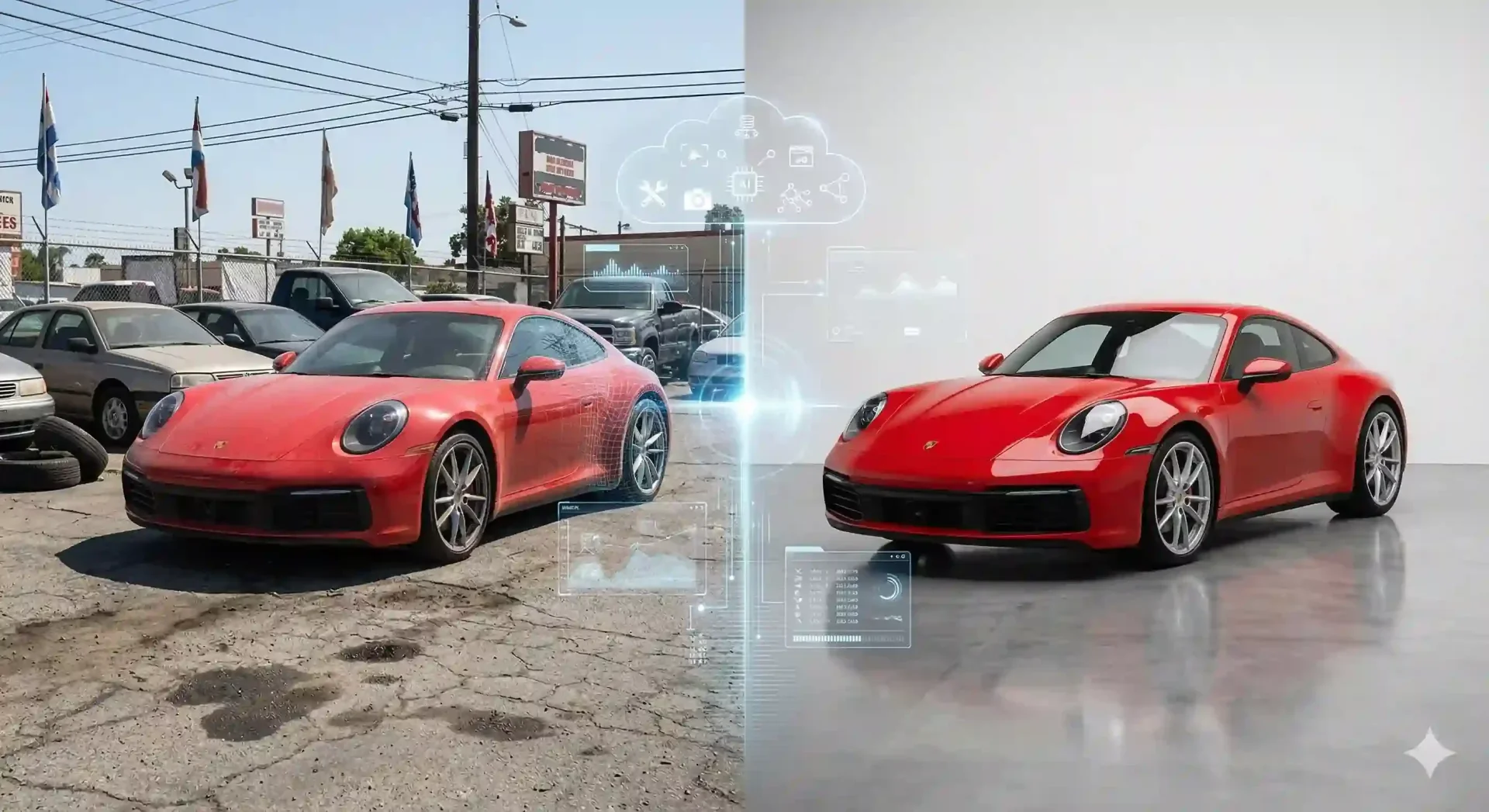
Every used-car dealer knows the bottleneck. Your team snaps 20 photos per vehicle on a crowded lot, uploads them to a shared folder, and then waits for someone to crop, color-correct, and swap backgrounds before the listing goes live. An AI car photo editor built for automotive inventory eliminates that wait by handling background removal, lighting correction, and color balancing in seconds rather than hours.
This guide covers what separates a purpose-built car photo ai editor from generic tools, what to look for when evaluating options, and how to integrate one into a dealership workflow without disrupting your team.
What an ai car photo editor actually does
A dedicated ai photo editor for cars is trained on vehicle silhouettes, not generic objects. That distinction matters because cars have reflective surfaces, transparent windows, intricate wheel spokes, and antenna tips that confuse general-purpose masking algorithms. The result with a generic tool is halos around mirrors, missing wheel wells, or windows that get removed along with the background.
An automotive-specific editor handles these edge cases because its model has learned from thousands of vehicle images. It identifies the boundary between a chrome mirror and a parking lot, preserves glass transparency, and grounds the car with a natural shadow so it does not appear to float.
Beyond background swaps, a strong car photo editor ai also adjusts exposure, white balance, and vibrancy. Lot photos shot at 2 PM in direct sun look completely different from photos taken under overcast skies at 4 PM. AI normalization brings both to a consistent baseline, so every vehicle in your inventory grid looks like it belongs to the same professional catalog.
Why generic photo editors fail on car images
Tools like Canva, Photoshop, or free background removers handle people, products, and pets well. Cars are harder. A sedan shot at a slight angle has a complex outline: roof rails, spoilers, mirrors, wheel gaps, and underbody shadows all create edges that generic algorithms either clip or leave messy.
Common problems with non-automotive tools include:
Problem | What happens | Impact on listing |
|---|---|---|
Halo artifacts around mirrors | White or colored fringe left around reflective edges | Looks amateurish, undermines trust |
Window removal | AI treats transparent glass as background | Car appears damaged or heavily edited |
Floating car effect | No shadow grounding after background swap | Unrealistic, buyers question authenticity |
Inconsistent color shift | AI overcorrects vibrancy, changes paint color | Misrepresents vehicle condition |
Each of these problems triggers a rework loop. Someone flags the image, sends it back for manual touch-up, and the listing sits in draft for another day. An ai photo editor car-specific in its training skips this cycle entirely.
Key features to look for in an ai photo editor for cars
Not every tool labeled "AI car editor" delivers on the promise. Here is a quick evaluation checklist to use when comparing options.
Evaluation checklist for choosing an AI car photo editor
- Vehicle-specific masking: does it handle mirrors, wheels, glass, and antennas cleanly?
- Shadow grounding: does it add realistic contact shadows after background replacement?
- Batch processing: can you upload 20+ images and get consistent output in one pass?
- Template library: does it offer showroom, outdoor, and branded backdrops out of the box?
- Lighting normalization: does it balance exposure across photos shot in different conditions?
- Mobile capture support: can your team shoot and edit from the lot on a phone?
- Commercial rights: are you free to use the output on any marketplace or ad platform?
- Export presets: does it output at the correct resolution and aspect ratio for Cars.com, CarGurus, and Facebook Marketplace?
If a tool fails on the first two items, it is not built for automotive. Move on.
How an ai car photo editor fits into dealership workflows
The operational benefit is not just speed. It is removing the dependency on a single person or vendor. In a typical dealership photography workflow, the photo bottleneck looks like this: intake staff shoot the car, upload images to a shared drive, a marketing coordinator opens each file in Photoshop, edits it manually, and then uploads the final set to the listing platform.
With an automotive AI editor, steps two through four collapse into one. The person who shoots the car can also process the images on their phone or desktop, select a background template, and export marketplace-ready files, all within a few minutes.
This matters most for high-volume operations. A dealer moving 50 vehicles a month with 15 images per car produces 750 photos. At 10 minutes per manual edit, that is 125 hours of editing labor. An AI editor running at 3-5 seconds per photo reduces that to under an hour of upload-and-review time.
Comparing ai car photo editors to manual editing
Factor | AI car photo editor | Manual Photoshop editing |
|---|---|---|
Time per image | 3-5 seconds | 10-30 minutes |
Consistency across inventory | Identical output every time | Varies by editor skill and mood |
Learning curve | Minimal, template-based | Steep, requires design skills |
Cost at scale (750 images/month) | Subscription, predictable | Staff hours or outsource fees |
Edge handling on vehicles | Trained on automotive silhouettes | Depends on editor experience |
Mobile capability | Yes, shoot and edit on lot | Desktop only |
Manual editing still has a place for hero shots or marketing campaigns where creative direction matters. For everyday inventory photos, AI handles the volume without sacrificing consistency.
Getting started with your first batch
If you want to test an AI editor before committing, start with a single vehicle. Shoot 10-15 photos covering all standard angles: front three-quarter, rear three-quarter, driver side, passenger side, interior dashboard, back seat, trunk, and odometer. Upload the full set to the free car image enhancer and compare the output against your current listing photos.
Pay attention to three things. First, edge quality around mirrors and wheels. Second, whether the shadow looks natural on the new background. Third, whether the color of the paint matches the original photo without being over-saturated. If all three pass, you have a tool that can handle your full inventory.
Once satisfied, process your next 10 vehicles through the tool and upload them as a batch. Measure how long the full cycle takes, from capture on the lot to live listing, and compare that against your current average. Most dealers see their time-to-listing drop significantly.
Final thoughts
An ai car photo editor purpose-built for automotive inventory is not a luxury. It is an operational tool that removes the editing bottleneck standing between your lot and your listings. The key is choosing one trained on vehicle silhouettes, not generic objects, so you avoid the rework loops caused by halos, missing glass, and floating cars. Start with one vehicle, validate the output quality, and then try CarBG free on your next full intake batch to see the workflow difference firsthand.
Frequently asked questions
What makes an ai car photo editor different from a regular background remover?
A car-specific editor is trained on vehicle silhouettes, which means it understands how to handle reflective surfaces like chrome mirrors, transparent windows, intricate wheel spokes, and antenna tips. Regular background removers treat these as generic edges and often clip them incorrectly, leading to halos and artifacts that require manual cleanup.
Can I use an ai photo editor for cars on images shot with a phone?
Yes. Most modern AI car editors accept images from any camera, including smartphones. The key is that the vehicle should be clearly visible and not heavily obstructed by other objects. Shooting in landscape mode with the full vehicle in frame gives the AI the best input to work with. Phone-shot images at 12MP or higher typically produce clean results.
How many car photos can I process in a batch?
This depends on the tool. Some AI car photo editors support uploading 50+ images at once with consistent background replacement across the entire set. Batch processing is especially important for dealerships processing multiple vehicles daily, as it ensures every image in your inventory grid has the same background style and lighting quality.
Will an ai car photo editor change the color of my vehicle?
A well-built automotive editor enhances clarity and balances exposure without altering the actual paint color. The goal is trust-safe editing: making the car look its best under ideal lighting conditions while accurately representing its real appearance. If a tool shifts your silver sedan to look blue, it is overcorrecting and should be avoided.
Does using a car photo editor ai affect my commercial rights?
This varies by tool. CarBG provides full commercial photography rights on all outputs, meaning you can use enhanced images on your website, marketplaces like CarGurus and Cars.com, social media ads, and any other advertising channel without licensing restrictions. Always verify the licensing terms of any tool you evaluate.
How does an AI editor handle car interior photos?
Interior shots typically need lighting correction more than background replacement. A good car image editor normalizes exposure to reveal dashboard details, seat texture, and gauge readings that may be lost in dark or overexposed originals. Some editors also apply subtle color enhancement to make interiors look clean and inviting without misrepresenting condition.