Car Image Editing Specs Template: Quick Reference for All Major Marketplaces
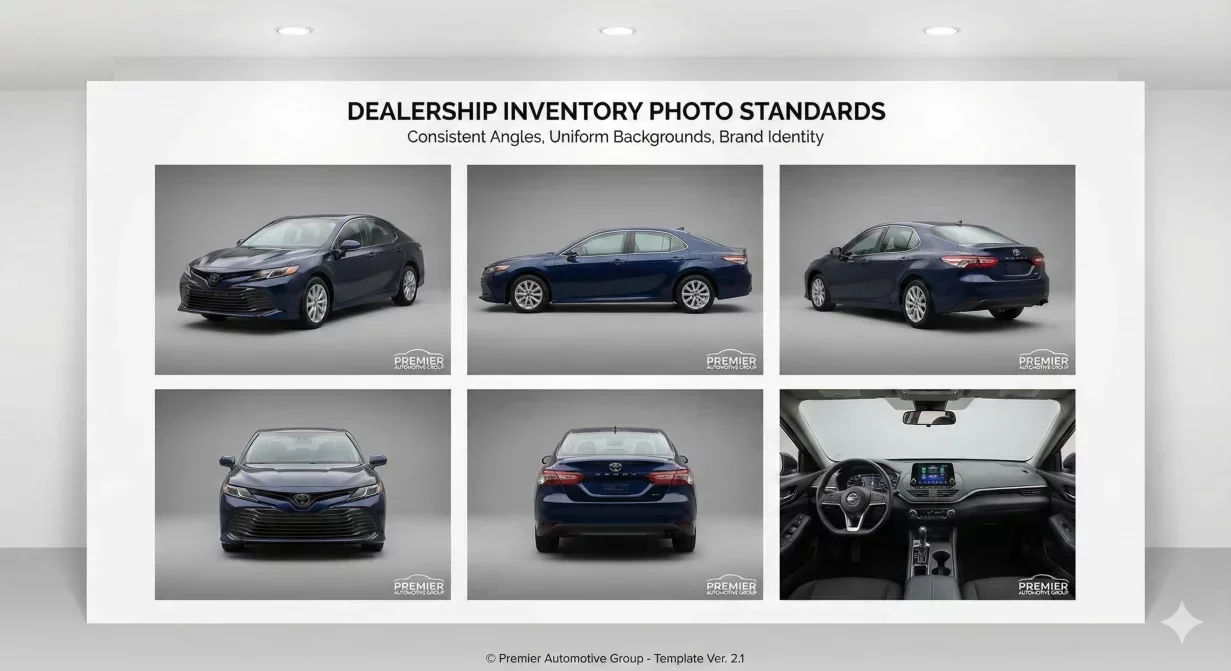
This car image editing specs template provides a quick reference for export settings across all major marketplace platforms. Print it, post it by your workstation, and eliminate the guesswork when exporting Car background photos for different destinations.
Each platform has specific requirements. Using wrong settings causes display problems, quality loss, and cropping issues that undermine your photo investment.
Quick Reference: Platform Specifications
Use this summary table for rapid reference. Detailed explanations follow below.
Cars.com
- Dimensions: 1600-2000px longest edge
- Aspect ratio: 4:3 preferred
- Format: JPEG
- Quality: 82-88%
- Max file size: 2MB
- Color space: sRGB
CarGurus
- Dimensions: 1400-1800px longest edge
- Aspect ratio: 4:3 or 16:9
- Format: JPEG
- Quality: 78-85%
- Max file size: 1.5MB
- Color space: sRGB
AutoTrader
- Dimensions: 1600-2000px longest edge
- Aspect ratio: 4:3 preferred
- Format: JPEG
- Quality: 80-88%
- Max file size: 2MB
- Color space: sRGB
Facebook Marketplace
- Dimensions: 1200px longest edge
- Aspect ratio: 1.91:1 for hero, 4:3 for gallery
- Format: JPEG
- Quality: 88-95%
- Max file size: 1MB
- Color space: sRGB
eBay Motors
- Dimensions: 1600px longest edge minimum
- Aspect ratio: 4:3 preferred
- Format: JPEG
- Quality: 80-88%
- Max file size: 7MB
- Color space: sRGB
Craigslist
- Dimensions: 1200-1600px longest edge
- Aspect ratio: Any (displays at 4:3)
- Format: JPEG
- Quality: 80-90%
- Max file size: 5MB per image
- Color space: sRGB
Dealer Website
- Hero: 2000-2400px longest edge
- Thumbnails: 400-600px
- Format: JPEG or WebP
- Quality: 82-90% hero, 70-80% thumbs
- Target: Under 300KB hero, under 50KB thumbs
- Color space: sRGB
Aspect Ratio Reference
Aspect ratios determine how photos fit platform display areas. Mismatched ratios cause cropping.
Common Automotive Aspect Ratios
4:3 - Standard for most automotive platforms. Width is 1.33 times height. Example: 1600 x 1200 pixels.
16:9 - Widescreen format. Width is 1.78 times height. Example: 1920 x 1080 pixels.
1.91:1 - Facebook optimized. Width is 1.91 times height. Example: 1200 x 628 pixels.
1:1 (Square) - Some social platforms. Width equals height. Example: 1200 x 1200 pixels.
File Naming Template
Consistent file naming prevents confusion and enables efficient organization.
Recommended Format
StockNumber_Angle_Platform.jpg
Examples: A12345_front_carscom.jpg, A12345_interior_facebook.jpg, A12345_hero_website.jpg
Angle Abbreviations
- hero - Three-quarter front (primary)
- front - Direct front view
- rear - Rear view
- driver - Driver side profile
- pass - Passenger side profile
- int - Interior overview
- dash - Dashboard detail
- seats - Seat detail
- cargo - Trunk or cargo area
- odo - Odometer reading
Common Export Problems and Fixes
Photos Look Blurry After Upload
Cause: Dimension too small for display size, or platform re-compression degraded quality. Fix: Export at larger dimensions (1600px minimum) and higher quality (85%+).
Photos Get Cropped Unexpectedly
Cause: Aspect ratio does not match platform display. Fix: Export at the platform preferred aspect ratio. Keep vehicle centered with buffer space.
Colors Look Different on Platform
Cause: Wrong color space or platform processing changes colors. Fix: Always export in sRGB color space. Verify color profile before export.
Files Rejected or Fail to Upload
Cause: File too large, wrong format, or exceeds platform limits. Fix: Check platform file size limits. Reduce dimensions or increase compression to meet limits.
Photos Load Slowly
Cause: File size too large for efficient loading. Fix: Reduce file size through appropriate compression. Target sizes listed above balance quality with speed.
Preset Checklist for Your Editor
Create these presets in your photo editing software for efficient batch exports.
- CarsComExport: 1800px, JPEG 85%, sRGB
- CarGurusExport: 1600px, JPEG 82%, sRGB
- AutoTraderExport: 1800px, JPEG 85%, sRGB
- FacebookExport: 1200px, JPEG 92%, sRGB
- WebsiteHero: 2200px, JPEG 88%, sRGB
- WebsiteThumb: 500px, JPEG 75%, sRGB
How CarBG Simplifies Exports
CarBG includes pre-configured export presets for all major platforms. Select your destination and export without manual configuration.
Batch export processes complete vehicle sets with correct specifications automatically. No memorizing settings or creating presets manually.
Final Thoughts
This car image editing specs template gives you the quick reference needed for consistent, correct exports across all platforms. Post it at your workstation and use it for every batch export. Correct settings ensure your photo investment displays properly everywhere buyers browse. Try CarBG built-in presets for automated multi-platform export.
The CarBG Angle (FAQ Bits)
Which platform requires the highest quality export?
Facebook Marketplace, counterintuitively. Because Facebook compresses heavily during processing, you need to start with higher quality (88-95%) so the final result after their compression remains acceptable.
Can I use one export setting for all platforms?
Not optimally. A compromise setting might work but will be suboptimal everywhere. Platform-specific settings ensure correct display and efficient file sizes for each destination.
What if a platform is not listed here?
Start with the Cars.com settings as a reasonable default: 1800px, JPEG 85%, sRGB. Verify display after uploading and adjust if needed.
How do I know if my exports are correct?
Upload test images and verify display at thumbnail, gallery, and full-size views. Check on both mobile and desktop. Catch problems before affecting real inventory.
Should I keep master files separate from exports?
Yes. Maintain high-quality master files (JPEG 95%+ or PNG) separately from platform exports. When specifications change, re-export from masters rather than from previously compressed files.
How often do platform specifications change?
Rarely for major changes, but incremental adjustments happen periodically. Review your presets quarterly and when you notice display problems that were not occurring before.

Tamas Magda
Co-founder, Growth and Partnerships at Car Background AI
Tamas Magda is co-founder of Car Background AI (carbackground.ai, CarBG), an AI car photo editor that replaces backgrounds on dealership inventory photos. He leads partnerships, growth, and business architecture, working with the development team on the product roadmap and with dealers on what their online listings actually need. He brings a background in venture building across APAC and MENA, and writes about vehicle merchandising, dealer photo workflows, and using AI on listing images without altering the car itself.
Tamas is a co-founder of Car Background AI and has a financial interest in the company. Articles that mention Car Background AI reflect that relationship.