100% free · Plans from $29/mo
Car white background editor
Many marketplaces expect a car white background, and a grey wall or a badly lit studio won't cut it. Our white car background editor puts any car on a white background, even and professional, with sharp edges and a natural shadow.


Trusted by 1000+ dealerships and independent sellers worldwide
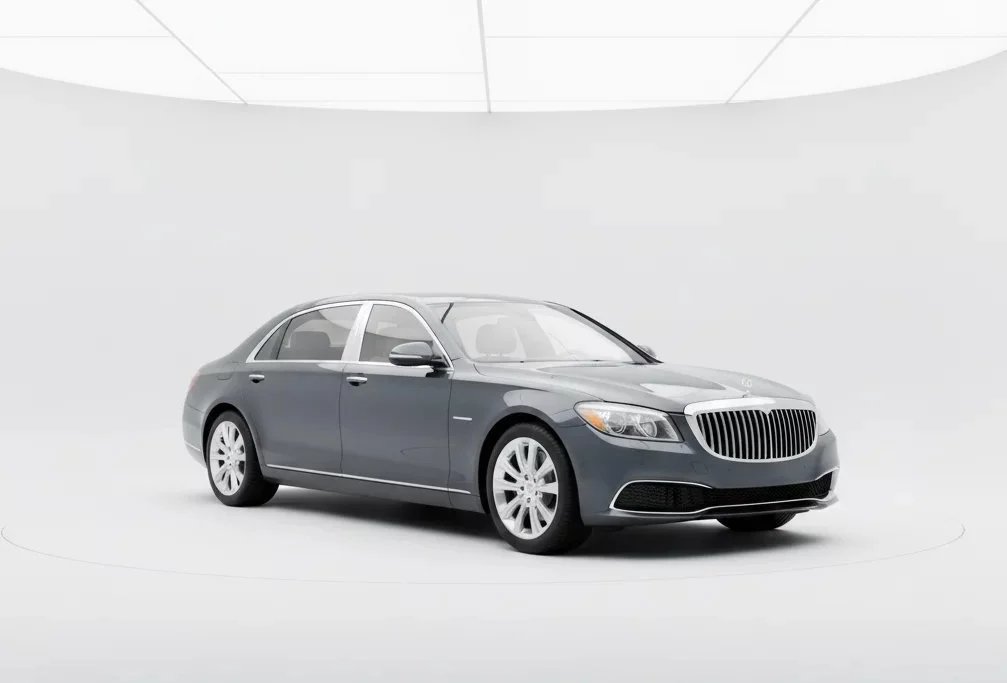
The clean white background listings expect
A white background makes a car look catalogue-ready, but only if the white is even and the edges are clean. Our editor gives every car the same pure white, so your white background car images read as one professional set.
Clean white
Sharp edges
Natural shadow
Consistent set
Marketplace-ready
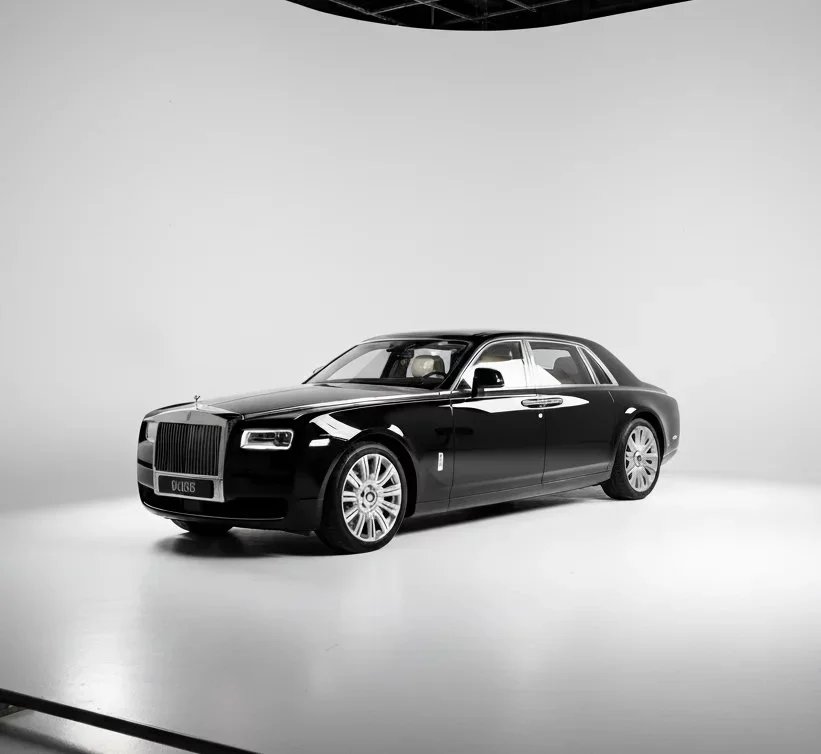
HOW IT WORKS
Three simple steps
The white car background editor works in three simple steps. No editing experience needed, just upload your photo and let the AI place the car on white.
01
Upload your photo
Drag and drop a car photo taken anywhere, on the lot, the driveway, or the shop floor.
02
Let the AI do the work
Car Background AI separates the car cleanly, drops it onto an even white background, and adds a natural shadow so it doesn't look cut out.
03
Download and use image
Get a clean car picture, white background and all, ready for any marketplace, your website, or social. No watermark.
MANUAL VS AI
Skip the white studio setup
White studio setup
— A white wall or cyclorama to build, and lighting to get it even
— Blown highlights, grey corners, and shadows that fall wrong
— Manual masking onto white in software, hours per car
— Every car shot in one fixed spot to use it
Car Background AI
✓ One upload, clean white background every time
✓ The same even white on every car
✓ Sharp edges with no manual masking
✓ 10 free generations to test on your own photos
What you get with the white car background editor
Everything you need for car pictures with a white background: clean, professional, and the same on every car. No hidden fees, no watermarks, no card required.
Pure, even white
Every image comes back clean and even, whether it’s a red car white background or a pale silver, with no grey corners or blown-out patches.
Sharp edges against the white
Edges are the real test, from a black car on a white background to a white car on a black background. Automotive AI keeps every edge crisp and clean.
A natural grounding shadow
The car sits on a subtle, realistic shadow instead of floating, so a white background still looks photographed, not pasted.
True perspective
The car keeps its natural angle, so it looks shot on a white background rather than dropped onto one.
Every car identical
Put your whole inventory on the same white, so your listings line up like a proper catalogue instead of a mix of shots.
Full commercial rights
Use your images anywhere: listings, your website, social, and print. No watermark, no licensing fees, no restrictions.
FREE TO TRY
See your car on a clean white background
Upload a photo and see the sports car white background for yourself. Free to try, nothing to commit.
WHO IT IS FOR
Built for everyone who sells cars
Whether you're putting one car on white or your whole lot, our white car background editor fits the way you already work.
Independent sellers
Give your sports car with a white background the dealer-shot look, so your one listing stands out.
Fix your car photos
Car dealerships
Give every car with white background the same clean, consistent look, so your listings line up like a catalogue.
See how dealers use it
Automotive photographers
Deliver clean white-background shots to clients without building or lighting a white studio.
See the full toolkit
Online marketplaces
Give sellers car images white background, so every listing on your platform matches.
Explore marketing tools
Dealer management systems
Return a car image white background through the API, so every listing on your platform shares the same clean look.
Edit listing photos faster
Still fighting to get a clean white background?
An uneven, grey, or badly lit white makes a listing look amateur. The fix takes one upload. Put the car on a clean, even white before it goes in front of a buyer.
Sell cars faster
A clean white background keeps all eyes on the car and moves metal quicker than a cluttered lot shot.
Get more leads
A crisp, catalogue-ready photo earns the click, and more clicks mean more inquiries from serious buyers.
Win the grid
A clean white background stands out in a marketplace grid full of busy, distracting photos.
Build buyer trust
A professional white background signals a serious seller, and buyers reach out to sellers they trust.
Cut your editing cost
Hit the clean, uniform look many marketplaces and ecommerce listings expect.
Keep a consistent brand
Every car on the same white reads as one professional operation across all your listings.
TESTIMONIALS
What users say about our Car Background AI
“Using this platform has simplified my car sales workflow! I’ve created multiple clean pictures and in the fraction of the time than before.”

Alex Thompson
Digital Marketing Specialist, USA
“This is the best photo app for cars I have encountered. I’ve upgraded the vehicle imagery for all our inventory, and it only took me seconds for each car. The bulk photo processing feature is a real time saver, and the quality is unmatched.”

Sarah Kim
Used-Car Dealer, South Korea
“The professional backgrounds elevate my car listing ads, and create high trust and faster sales. I especially like that all details of the cars remain the same, but the visuals are photo booth quality!”

Jason Patel
Car Dealership Manager, India
Frequently Asked Questions
Upload the photo and our editor makes the car background white, even, and free of grey corners. Car Background AI is built only for vehicles, so the edges stay sharp and the car sits on a natural shadow.
Generic tools cut cars out roughly and drop them onto a flat white that makes the car look pasted on. Car Background AI is trained on vehicles, so it keeps glass and edges clean and grounds the car with a natural shadow.
No. The editor adds a subtle, natural shadow under the car, so it sits on the white instead of floating. The result looks photographed in a studio rather than cut out and pasted onto a blank page.
A clean, even white is the look many marketplaces and ecommerce listings prefer, so your photos fit right in. Requirements vary by platform, so it is worth checking the exact specs where you list.
You can upload JPG, JPEG, and PNG files. These cover what most dealers and sellers get from a phone or camera, and the tool handles all of them the same way into a clean result.
Yes. You get 10 free generations when you sign up, with no watermark. That is enough to put several cars on a white background and judge the quality before you subscribe.
Yes. Bulk processing returns car pictures white background for a whole set at once, so your full inventory comes back matched and consistent without editing each car by hand.
Yes. You hold full commercial rights, so you can use your images on AutoTrader, Cars.com, Facebook Marketplace, your website, or print, with no licensing limits.