10 free generations • Plans from $29/mo
Car background replacement that changes the scene, never the car
Car background replacement from Car Background AI puts your lot photos on a studio, showroom or outdoor scene in seconds. Shadows and reflections are matched to the new setting, so buyers see the car you have on the lot.


Trusted by 1,000+ dealers and sellers
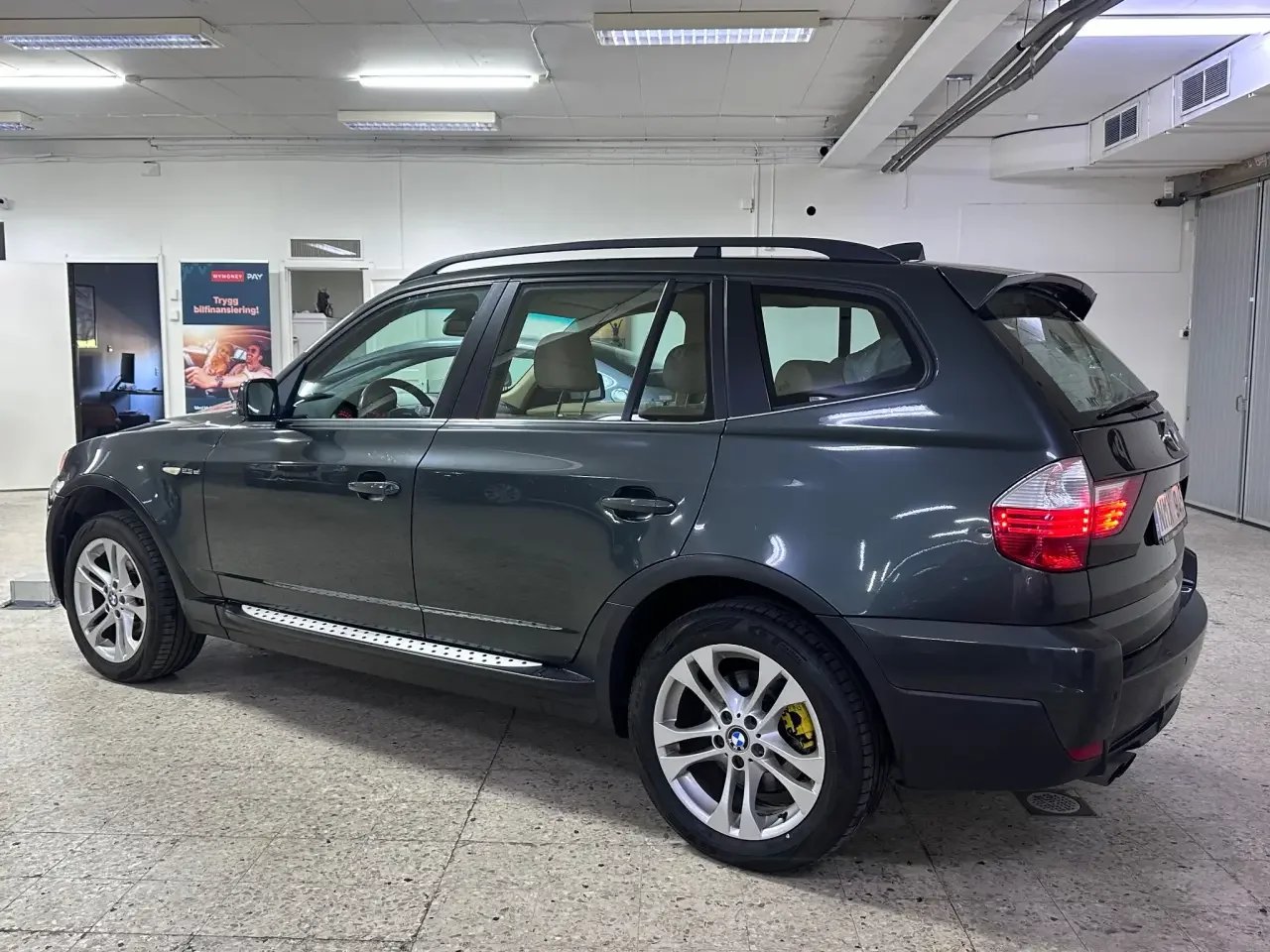
Before
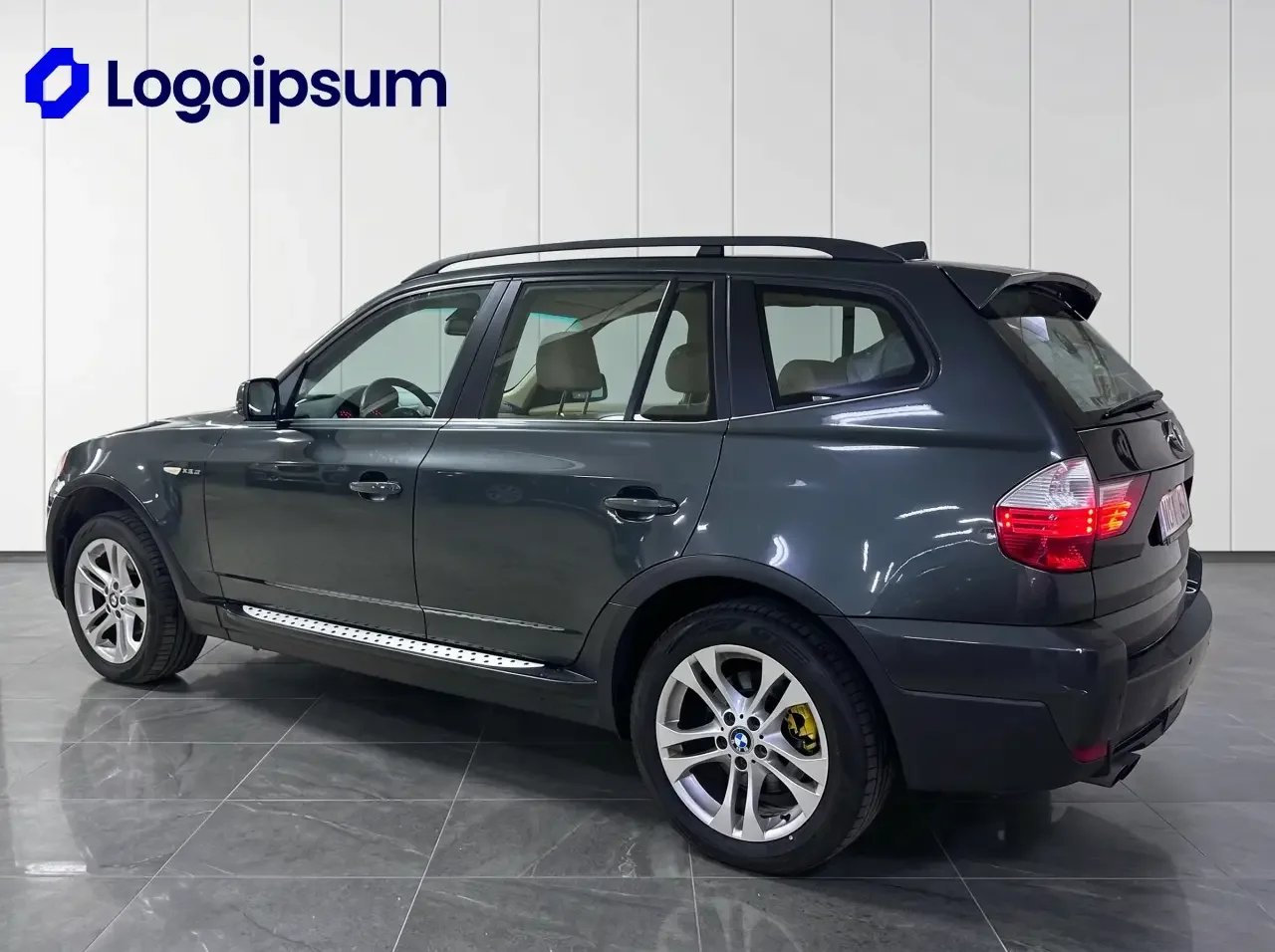
After
TESTIMONIALS
What users say about Car Background AI
“Using this platform has simplified my car sales workflow! I’ve created multiple clean pictures and in the fraction of the time than before.”

Alex Thompson
Digital Marketing Specialist, USA
“This is the best photo app for cars I have encountered. I’ve upgraded the vehicle imagery for all our inventory, and it only took me seconds for each car. The bulk photo processing feature is a real time saver, and the quality is unmatched.”

Sarah Kim
Used-Car Dealer, South Korea
“The professional backgrounds elevate my car listing ads, and create high trust and faster sales. I especially like that all details of the cars remain the same, but the visuals are photo booth quality!”

Jason Patel
Car Dealership Manager, India
A good car on a cluttered lot still loses the click
Neighboring cars, power lines and wet pavement pull the eye away from the vehicle. In a marketplace grid, that photo sits next to dealers with clean, matching images. A new background clears all of it without moving a single car.
Pick the backdrop that fits the car
Studio white
Showroom floor
Outdoor scene
City street
Gradient backdrop
Your own showroom

HOW IT WORKS
How car background replacement works
Three steps, and no editing experience needed.
01
Upload your photos
Drag in photos from your phone or camera, wherever the car is parked. One car or a full set both work.
02
Choose a scene
Pick a ready-made backdrop, a saved template or a scene you generated yourself.
03
Download and list
The AI separates the car, builds the new setting and adds the shadows.
Your image comes back with no watermark, ready for Cars.com, CarGurus, AutoTrader, Facebook Marketplace and your website.
What a believable new background needs
Buyers spot a pasted car fast. These are the details that decide whether a photo passes.
Edges that hold up
Mirrors, antennas and wheel arches stay sharp, with no halo where the car meets the scene.
Reflections that fit
Windows and paint should not keep showing the parking lot you just took out. The AI is built for how glass behaves on vehicles.
Shadows under the tires
The car sits on the ground of the new setting instead of floating above it.
True perspective
The backdrop follows the angle you shot, so front, side and rear views all line up.
Exterior, interior and close-ups
Change the scene on exterior shots, clear the background on interior shots and tidy close-ups of wheels or badges.
The car you photographed
Paint, trim and condition stay as shot. Scratches, dents and damage are never removed, so your listing stays accurate.
FREE TO TRY
See a new background on one of your own cars
Upload a photo from today's lot and judge the result yourself. Your first 10 generations are free.
MANUAL VS AI
Drop the manual editing
Manual editing or staging
— Hours masking each car by hand, or an editor's invoice
— New backgrounds that look pasted on, with flat shadows
— Results that vary shot to shot and editor to editor
— Cars physically moved to a clean spot just to shoot
Car Background AI
✓ One upload, background replaced in seconds
✓ Shadows that ground the car in the scene
✓ The same saved scene on every car
✓ 10 free generations to test on your own photos
General photo tools were not made for cars
A general AI chat tool or background remover can handle one image. The trouble starts on the second car, when the setting comes out different. Car Background AI works only on vehicles and reuses one saved scene. Your whole inventory looks like a single shoot.
WHO IT IS FOR
Built for everyone who sells cars
From one listing to thousands of photos a month, AI car background replacement fits the way you already work.
Independent dealers
Put every car on the same background, even when you shoot on a phone between customers.
See how dealers use it
Dealer groups
Keep one visual standard across locations, with your own showroom and logo behind every car.
Add your branding
Online marketplaces
Give sellers consistent settings so listings look uniform across your platform.
Explore marketplace options
Dealer management systems
Run car image background replacement through the API, inside the software dealers already use.
See API options
Automotive photographers
Offer clients a range of scenes without building or booking a physical set.
See the full toolkit
Need more than car background replacement?
Finish the photo in the same place. These tools work on the images you have already edited.
Car background removal
Keep the car and drop the setting for a clean cutout.
Remove backgrounds
Custom car backgrounds
Generate your own studio or outdoor scene and save it for later.
Create a background
Bulk car photo editing
Run a whole batch at once and every car comes back with one look.
Edit in bulk
Car dealership branding
Add your logo and branded plates in the same pass.
Add your branding
Give the next car on your lot a better first impression
Run a few of today's photos and compare them with what you have listed now. When you are ready to roll it out, plans start at $29/mo.
10 free generations • No credit card • Cancel anytime
Frequently asked questions
What is car background replacement?
Car background replacement takes the setting out of a car photo and puts a new one behind the vehicle. Car Background AI is an AI car background changer trained only on vehicles. It adds matching shadows so the car looks photographed in the new scene.
How is it different from car background removal?
Is this the same as car backgrounding?
Will the AI change my car?
No. Only the background changes. The shape, paint and condition of the vehicle stay as you shot them, and scratches or dents are never removed.
Which backgrounds can I use?
You can use ready-made studio, showroom and outdoor backdrops. You can also generate your own scene, including your own showroom with your logo on the wall.
Can I put my whole inventory on the same background?
What file formats can I upload?
You can upload JPG, JPEG and PNG files. These cover what most dealers and sellers get from a phone or camera.
Is it free to try?
Yes. You get 10 free generations when you sign up, with no credit card and no watermark. After that, plans start at $29/mo and you can cancel anytime.
Can I use the images anywhere?
Yes. You keep all rights in the photos you upload, and we claim no ownership of the edited photos. Use them in listings, ads, on your website, social and print, with no extra fee and no attribution. You are responsible for having the rights to the photos you upload.