100%無料・プランは月額$29から
AIで車の写真の背景変更
展示場の車の後ろには、お客様に見せる必要のないごちゃごちゃした景色が写り込んでいます。AIによる写真の背景変更なら、それを清潔感のあるプロらしい背景に差し替えます。リアルな影と反射で、車はその場で撮影したように見えます。


世界中の1,000以上の販売店と個人の売り手に選ばれています
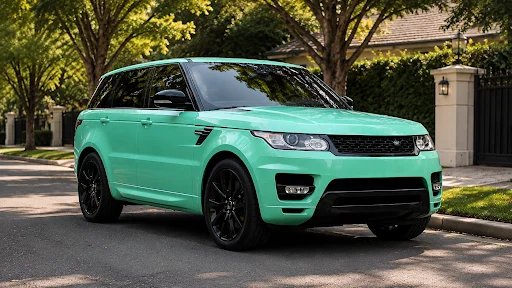
車に合った背景を選ぶ
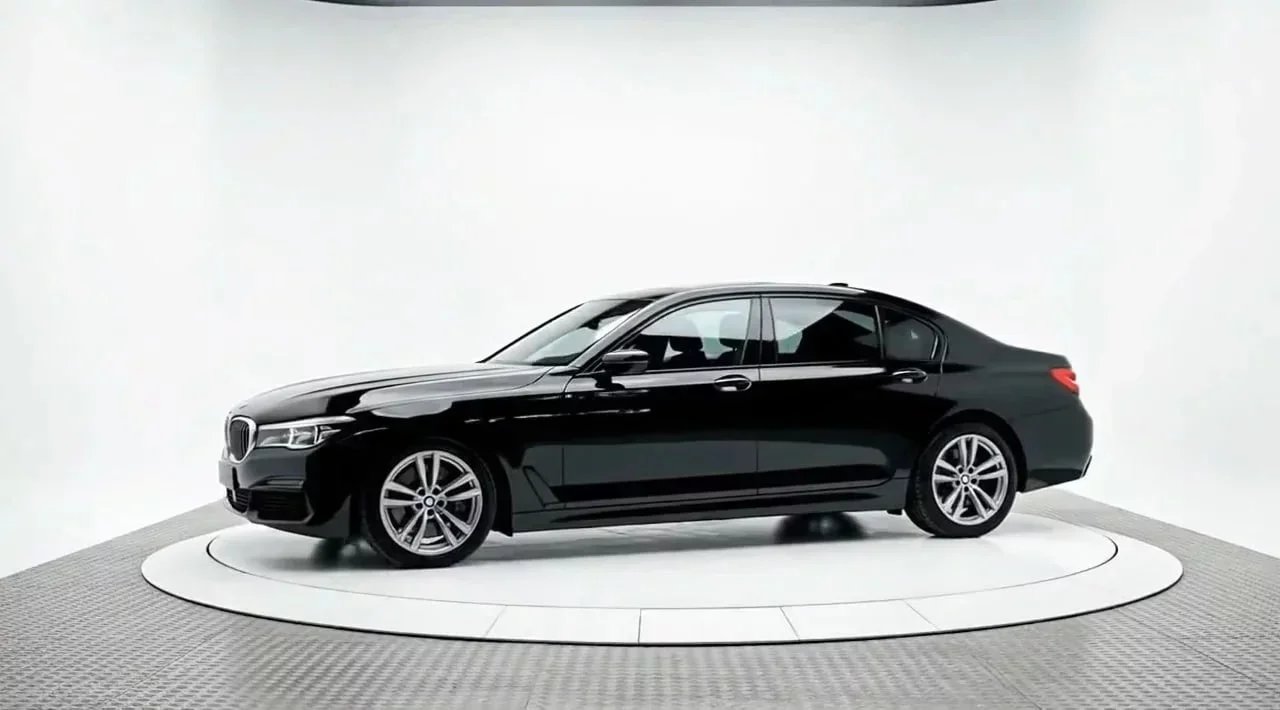
背景が変われば、車の見え方も変わります。セダンを明るい白のスタジオに、中古のピックアップトラックを自然な屋外の風景に置けば、販売したいお客様に合った見せ方ができます。すぐに使える背景から選ぶだけで、毎回清潔感のあるプロらしい仕上がりになります。
またはオリジナル背景を作る →
白のスタジオ
ショールーム
屋外の風景
街並み
グラデーション背景

使い方
かんたん3ステップ
AIによる背景変更は、かんたん3ステップで完了します。編集の経験は必要ありません。写真をアップロードすれば、AIが背景を差し替えます。
01
写真をアップロード
展示場、自宅の駐車スペース、店舗の狭い一角など、どこで撮った車の写真でもドラッグ&ドロップできます。
02
あとはAIにおまかせ
Car Background AIが車をきれいに分離し、選んだ背景に配置して、リアルな影を加えます。車は新しいシーンに自然になじみます。
03
ダウンロードしてそのまま使う
車に合った背景で、清潔感のあるプロらしい画像が完成します。中古車情報サイト、自社サイト、SNSにそのまま使えます。透かしは入りません。
手作業とAI
手作業の編集はもう不要
手作業の編集や撮影の準備
・車ごとに何時間もかかる手作業のマスク処理、または編集者への外注費
・影が平面的で、貼り付けたように見える新しい背景
・写真ごと、編集者ごとにばらつく仕上がり
・撮影のためだけに、車をきれいな場所まで移動
Car Background AI
✓ 1回のアップロードで背景をきれいに変更
✓ 車をシーンになじませるリアルな影
✓ すべての車に同じプロらしい背景
✓ 無料で10回生成、お手持ちの写真で試せます
AIによる写真の背景変更でできること
すべての車を清潔感のあるプロらしい背景にするために必要な機能がそろっています。隠れた費用も透かしもなく、いつでも解約できます。
すぐに使える背景
車専用に用意された清潔感のあるプロらしい背景から選択できるので、画像を探し回らなくても車に合ったシーンにそろえられます。
本物のような影
AIがリアルな影で車を地面になじませるので、貼り付けた背景の上に浮いて見えることなく、新しいシーンに収まります。
窓やエッジもきれいに
車専用のAIが、ガラスやミラー、アンテナといった難しい部分も正確に保持します。はさみで切り取ったような不自然さがなく、自然な仕上がりになります。
正確な遠近感
車本来の角度が保たれるので、新しい背景に貼り付けたのではなく、その場で撮影したように見えます。
在庫全体で統一感
すべての車を同じ背景にそろえれば、展示場全体が撮影場所のばらばらな写真の寄せ集めではなく、統一されたプロらしい写真に見えます。
商用利用の全権利
掲載ページ、自社サイト、SNS、印刷物など、画像はどこでも使えます。透かし、ライセンス料、利用制限はありません。
無料で試せる
お手持ちの車で新しい背景を確かめる
写真をアップロードして、ご自身で背景を変えてみてください。無料で試せて、契約の縛りもありません。
ご利用対象
車を販売するすべての方に
1台だけでも展示場の全車両でも、AIによる背景変更は今の業務の流れにそのままなじみます。
個人の売り手
ごちゃごちゃした自宅の駐車スペースを清潔感のある背景に変えれば、1台だけの掲載でも販売店が撮影したような写真になります。
車の写真を整える
中古車販売店
すべての車を同じプロらしい背景にそろえて、どの中古車情報サイトでも在庫に統一感を持たせられます。
販売店での活用例を見る
自動車カメラマン
実際の撮影セットを組んだり予約したりしなくても、クライアントにさまざまな清潔感のある背景を提案できます。
すべてのツールを見る
中古車情報サイト
出品者に清潔で統一感のある背景を提供し、プラットフォーム全体の掲載をそろったプロらしい見た目にできます。
マーケティングツールを見る
販売管理システム
APIで統一された背景を適用し、プラットフォーム上のすべての掲載を同じ清潔感のある見た目にそろえられます。
掲載写真をもっと速く編集
導入のメリット
まだごちゃごちゃした展示場を背景に掲載していますか?
散らかった背景は車から視線をそらし、掲載を雑な印象にしてしまいます。解決に必要なのはアップロード1回だけ。お客様の目に触れる前に、車を清潔感のある背景に載せましょう。
車をより早く販売
清潔感のあるプロらしい背景は視線を車に集め、ごちゃごちゃした展示場の写真よりも早く車が売れます。
反響を増やす
見栄えのよい車はクリックを集めます。クリックが増えれば、購入意欲の高いお客様からの問い合わせも増えます。
一覧で目立つ
ごちゃごちゃした写真が並ぶ中古車情報サイトの一覧で、清潔感のある背景はひときわ目立ちます。
お客様の信頼を得る
プロらしい背景は、プロの売り手であることを伝えます。お客様は信頼できる売り手に問い合わせます。
お客様に合った見せ方
車に合った背景を選べば、どの車もふさわしいお客様に向けて見せられます。
ブランドの統一感を保つ
すべての車を同じ背景にすれば、どの掲載も統一されたプロの販売店として伝わります。
お客様の声
Car Background AIに寄せられたお客様の声
「このプラットフォームを使って、車の販売のワークフローがシンプルになりました!きれいな写真を何枚も、以前よりずっと短い時間で作れました。」

Alex Thompson
デジタルマーケティングスペシャリスト、アメリカ
「これまで使った車向けの写真アプリの中で最高です。在庫すべての車の写真をグレードアップでき、1台あたり数秒しかかかりませんでした。一括処理機能は本当に時間の節約になり、品質も比べものになりません。」

Sarah Kim
中古車販売店、韓国
「プロらしい背景で車の掲載広告の質が上がり、高い信頼とより早い販売につながっています。特に、車の細部はすべてそのままなのに、見た目は撮影ブース並みの品質になるところが気に入っています。」

Jason Patel
販売店マネージャー、インド
よくある質問
AIで車の写真の背景を新しい背景に差し替える機能です。Car Background AIは車専用に作られたAIでこれを行い、清潔感のあるプロらしい背景に車を配置してリアルな影を加えるので、その場で自然に撮影したように見えます。
一般的なツールは車を大まかに切り取り、平面的な背景に貼り付けます。Car Background AIは車両で学習しているため、ガラスやエッジをきれいに保ち、遠近感を維持し、本物の影を加えます。そのため、差し替えた背景が作り物ではなく自然に見えます。
車の撮影向けに作られた既製の背景セットから選べます。清潔感のある白いスタジオ風の背景から自然な屋外の風景までそろっています。どの背景も、車が貼り付けたように見えず自然になじむよう設計されています。
はい。AIが車本来の形と遠近感を保ち、リアルな影で地面になじませるので、そのシーンで撮影したように見えます。車はそのままで、変わるのは背景だけです。
JPG、JPEG、PNGファイルをアップロードできます。ほとんどの販売店や売り手がスマートフォンやカメラで撮影する形式に対応しており、どの形式でも同じようにきれいな仕上がりになります。
はい。新規登録すると無料で10回生成でき、透かしも入りません。サブスクリプションを申し込む前に、数台の車で背景を変えて品質を確かめるのに十分な回数です。その後のプランは月額$29からで、いつでも解約できます。
はい。1枚ずつの処理から先に進むと、一括処理で写真のセットをまとめてアップロードし、背景を変えられます。1台ずつ手作業で編集しなくても、在庫全体の統一感を保てます。
はい。商用利用の全権利があるため、カーセンサーやグーネット、Facebook Marketplace、自社サイト、印刷物など、ライセンスの制限なく画像を使えます。