Car Backgrounding: What It Is and How Dealers Use It
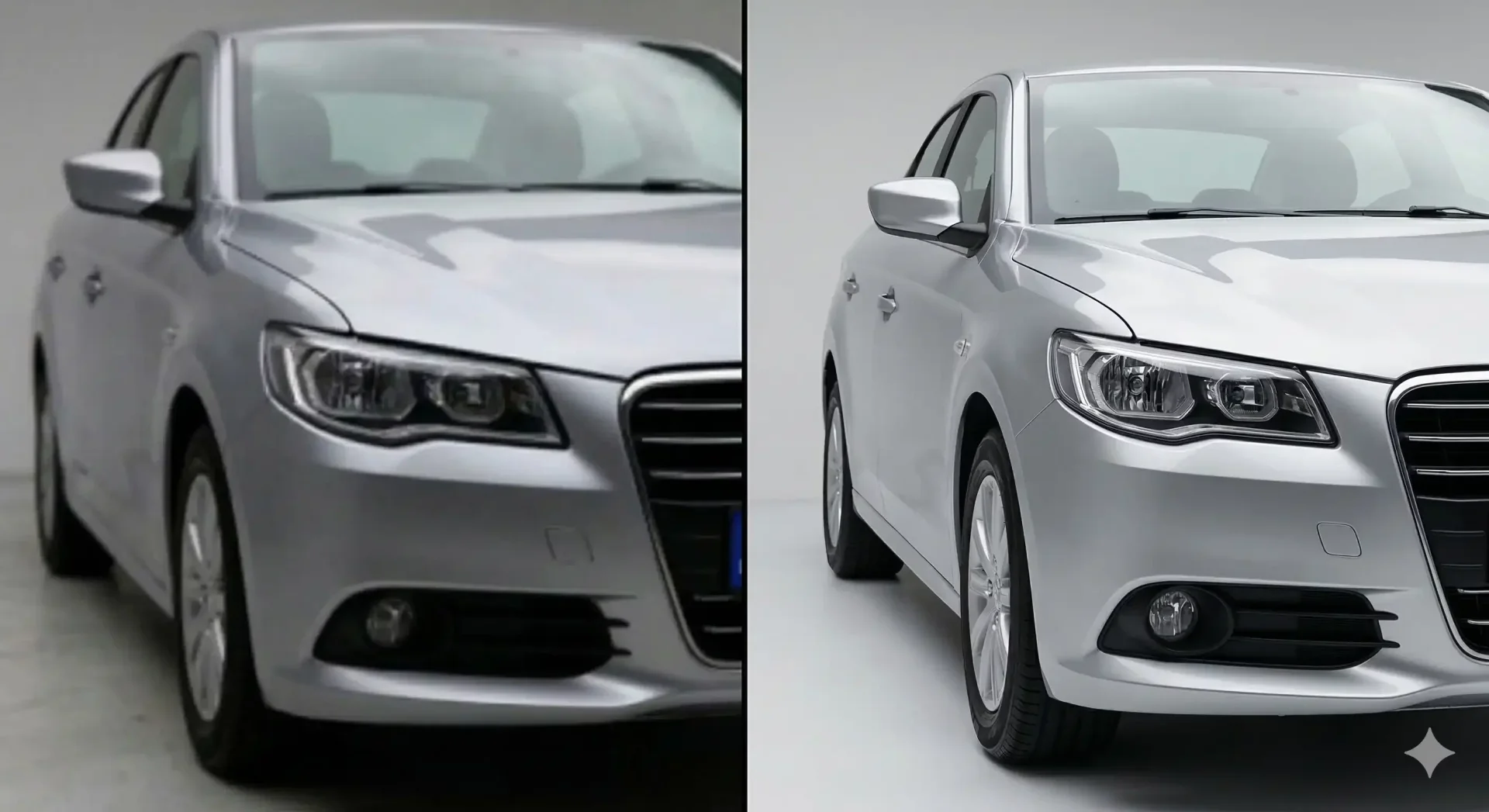
Car backgrounding is the process of removing the original background from a vehicle photo and replacing it with a clean, consistent backdrop. For dealers who shoot on crowded lots with chain-link fences, parked trucks, and inconsistent lighting, car backgrounding is the fastest way to turn raw inventory photos into listing-ready visuals without a studio, a photographer, or hours of manual editing.
This guide covers how car backgrounding works, why it matters for time-to-listing, which backdrop styles perform best on different marketplaces, and how to build it into your daily inventory workflow.
How car backgrounding works
Modern car backgrounding uses AI trained specifically on vehicle silhouettes. The process runs in three stages. First, the AI identifies and separates the vehicle from its surroundings, handling complex edges like mirrors, wheel spokes, antennas, and transparent glass. Second, it removes the original background entirely. Third, it composites the car onto your chosen backdrop and adds shadow grounding so the vehicle looks naturally placed.
The entire cycle takes 2-5 seconds per image. Compare that to 15-30 minutes of manual masking in Photoshop, and the operational advantage becomes obvious at any volume above a handful of cars per week.
What separates automotive-specific tools from generic background removers is the edge intelligence. A sedan has reflective chrome, transparent windows, and thin antenna tips that confuse general-purpose algorithms. Purpose-built car backgrounding handles these without leaving halos, clipped mirrors, or floating-car artifacts.
Why dealers need car background replacement
The core problem is visual inconsistency. When three staff members shoot vehicles across different corners of the lot at different times of day, every photo looks different. One car has a brick wall behind it. Another has a dumpster. A third has direct sun creating harsh shadows while the next is overcast and flat.
Buyers scrolling through your inventory page see that inconsistency and read it as disorganization. Car background replacement standardizes every listing image to the same professional look, regardless of who shot it, where, or when.
The operational impact is equally significant. Without backgrounding, someone has to either accept messy photos (and lose buyer trust) or manually edit each image (and delay listings). With car background replacement built into the workflow, the person who shoots the car can also process and publish it, often within the same hour.
Choosing the right bg for car listings
Not every backdrop works for every marketplace. Here is a quick reference for matching your bg for car photos to the platform where they will appear.
Backdrop style | Best marketplace fit | Why it works |
|---|---|---|
White studio | Cars.com, CarGurus, dealer website | Zero distractions, vehicle is the entire focus |
Gray gradient | AutoTrader, any marketplace | Adds depth without competing with the car |
Showroom interior | Dealer website, email campaigns | Signals premium presentation |
Outdoor scenic | Facebook Marketplace, Instagram | Lifestyle appeal for trucks and SUVs |
Branded dealership | Your website, social ads | Reinforces logo and brand recognition |
Most dealers perform best with two to three active templates. One primary (white or gray) for standard listings, one lifestyle option for trucks and SUVs, and optionally one branded template for their own website.
Car background editing workflow for daily intake
A standardized workflow removes decisions and keeps your team moving. Here is a dealer-ready SOP you can implement today.
Daily car backgrounding SOP
- Clean the vehicle before shooting. Water spots and dust show through any background swap.
- Shoot all standard angles: front three-quarter, rear three-quarter, both sides, front straight, rear straight, interior dashboard, rear seats, trunk, odometer.
- Upload the full set to your car backgrounding tool. Use batch upload to process all vehicles from the day in one session.
- Select the assigned backdrop template based on vehicle type (sedan = studio white, truck = outdoor scenic).
- Run AI processing. Review the first image per vehicle for edge quality, shadow placement, and color accuracy.
- Export marketplace-ready files and upload directly to your listing platforms.
This six-step process handles a full vehicle photo set in under 10 minutes, from raw lot shots to published listing. The key is locking in template assignments so staff never debate which background to use.
Car background for editing: what to look for in a tool
Not every tool labeled "background remover" handles automotive images well. When evaluating a car background for editing solution, check these capabilities first.
- Vehicle-specific masking that handles mirrors, wheels, glass, and antennas without halos
- Shadow grounding that places a natural contact shadow on the new backdrop
- Batch processing for 20+ images with consistent output across the full set
- Template library with showroom, outdoor, and branded backdrops built in
- Lighting normalization that balances exposure across photos shot in varying conditions
- Mobile support so your team can shoot and process directly from the lot
- Marketplace-ready export presets for Cars.com, CarGurus, Facebook Marketplace
- Full commercial rights on all processed images
If a tool cannot handle the first two items cleanly, it was not built for automotive use. Generic background removers consistently fail on the reflective and transparent surfaces that make vehicles uniquely challenging.
Car background removal vs car backgrounding: what is the difference?
Car background removal strips the existing backdrop and leaves you with a transparent cutout or a solid color fill. Car backgrounding goes further: it removes the original background and replaces it with a new scene, complete with matched lighting and shadow grounding.
For most dealer workflows, backgrounding is what you want. A transparent cutout is useful for marketing composites and custom design work, but for everyday listings, buyers expect to see the car on a real-looking surface, not floating in empty space.
That said, car background removal is a necessary first step in any backgrounding process. The quality of the removal, how cleanly the AI separates the vehicle from its surroundings, determines the quality of the final composite. A sloppy removal means halos and artifacts no matter how good the new backdrop looks.
Measuring the impact of car backgrounding on your listings
Track these KPIs before and after implementing standardized car backgrounding to quantify the business impact.
- Time-to-listing: measure hours from vehicle arrival on lot to live listing. Most dealers see this compress from 2-5 days to same-day.
- Click-through rate on marketplace listings: compare 30-day CTR before and after standardizing backgrounds.
- "Send more photos" requests: track how often buyers ask for additional images. A drop means your photos are doing the job.
- Rework loops: count how many times photos get sent back for re-editing. Standardized backgrounding should reduce this to near zero.
- Inventory page bounce rate: if buyers leave your inventory page quickly, visual inconsistency may be the cause.
Final thoughts
Car backgrounding is not a cosmetic upgrade. It is an operational tool that removes the visual bottleneck between your lot and your listings. When every vehicle gets the same professional backdrop in seconds rather than hours, your team lists faster, your inventory looks cohesive, and buyers trust what they see. Start with one vehicle set, validate the edge quality and shadow realism, and then try the free image enhancer on a full intake batch to see the workflow difference.
Frequently asked questions
What is car backgrounding?
Car backgrounding is the process of removing the original background from a vehicle photo and replacing it with a clean, professional backdrop such as a white studio, showroom interior, or branded dealership scene. AI-powered tools handle this in seconds by detecting the vehicle silhouette, removing the surroundings, and compositing the car onto a new background with natural shadow grounding.
How long does car background replacement take per image?
With an AI-powered tool built for automotive use, each image processes in 2-5 seconds. A full vehicle photo set of 10-15 images can be completed in under two minutes. Manual editing in Photoshop takes 15-30 minutes per image for comparable quality, making AI processing roughly 200x faster at scale.
Does car backgrounding work with phone photos?
Yes. Modern AI car backgrounding tools accept images from any camera, including smartphones at 12MP or higher. The vehicle should be clearly visible and not heavily obstructed by other objects. Landscape orientation with the full car in frame gives the best results. Most lot photos shot on iPhones or Samsung devices process without issue.
Which bg for car listings performs best on marketplaces?
White or light gray studio backgrounds consistently outperform on Cars.com, CarGurus, and AutoTrader because they eliminate distractions and keep the vehicle as the focal point. For Facebook Marketplace and social media, clean outdoor or lifestyle backgrounds can match the platform style better. The most important factor is consistency across your entire inventory, not the specific backdrop choice.
Can car background editing change the color of my vehicle?
A well-built car backgrounding tool enhances clarity and balances exposure without altering the actual paint color. The goal is trust-safe editing: making the car look its best under ideal lighting conditions while accurately representing its real appearance. If a tool shifts your vehicle color noticeably, it is overcorrecting and should be reconsidered.
What is the difference between car background removal and car backgrounding?
Car background removal strips the existing backdrop and produces a transparent cutout or solid color fill. Car backgrounding goes further by replacing the removed background with a new professional scene, including matched lighting and shadow grounding. For dealer listings, backgrounding is typically what you need since buyers expect to see vehicles on realistic surfaces.

Tamas Magda
Co-founder, Growth and Partnerships at Car Background AI
Tamas Magda is co-founder of Car Background AI (carbackground.ai, CarBG), an AI car photo editor that replaces backgrounds on dealership inventory photos. He leads partnerships, growth, and business architecture, working with the development team on the product roadmap and with dealers on what their online listings actually need. He brings a background in venture building across APAC and MENA, and writes about vehicle merchandising, dealer photo workflows, and using AI on listing images without altering the car itself.
Tamas is a co-founder of Car Background AI and has a financial interest in the company. Articles that mention Car Background AI reflect that relationship.